futureshop: Fixing Heading Structure in commerce creator
Navigation
- Search OS
- futureshop
futureshop: Fixing Heading Structure in commerce creator
- Category
- Guides
- Reading Time
- 6 min read
- Topic
- Japan EC platform guides for search and AI search
futureshop's commerce creator is a tool that builds pages by stacking parts. Even when the page looks tidy, HTML headings (h1 to h3) tend to go missing or skip levels. AI search and search engines read a page through its headings, so this breakage is a reason pages don't get cited. This article covers how to spot the breakage, how to fix it part by part, and operating rules.
- Source URL
- searchos.io/en/blog
- Copyright
- © 2026 Search OS
- Brand
- Search OS
Shops that build LPs and category pages with futureshop's commerce creator report that the pages look good but don't show up in search and aren't cited by AI.
In this case, the heading structure is very likely broken. commerce creator builds pages by stacking parts, so it is easy to end up with a page where the big text you see and the HTML headings (h1 to h3) don't match. Search engines and AI search read structure from heading tags, not from appearance. A page with no headings is treated as one long paragraph, and nothing in it can be judged as the answer.
This article lays out the typical patterns of heading breakage and how to spot them, how to fix each part, and operating rules to keep them from breaking.
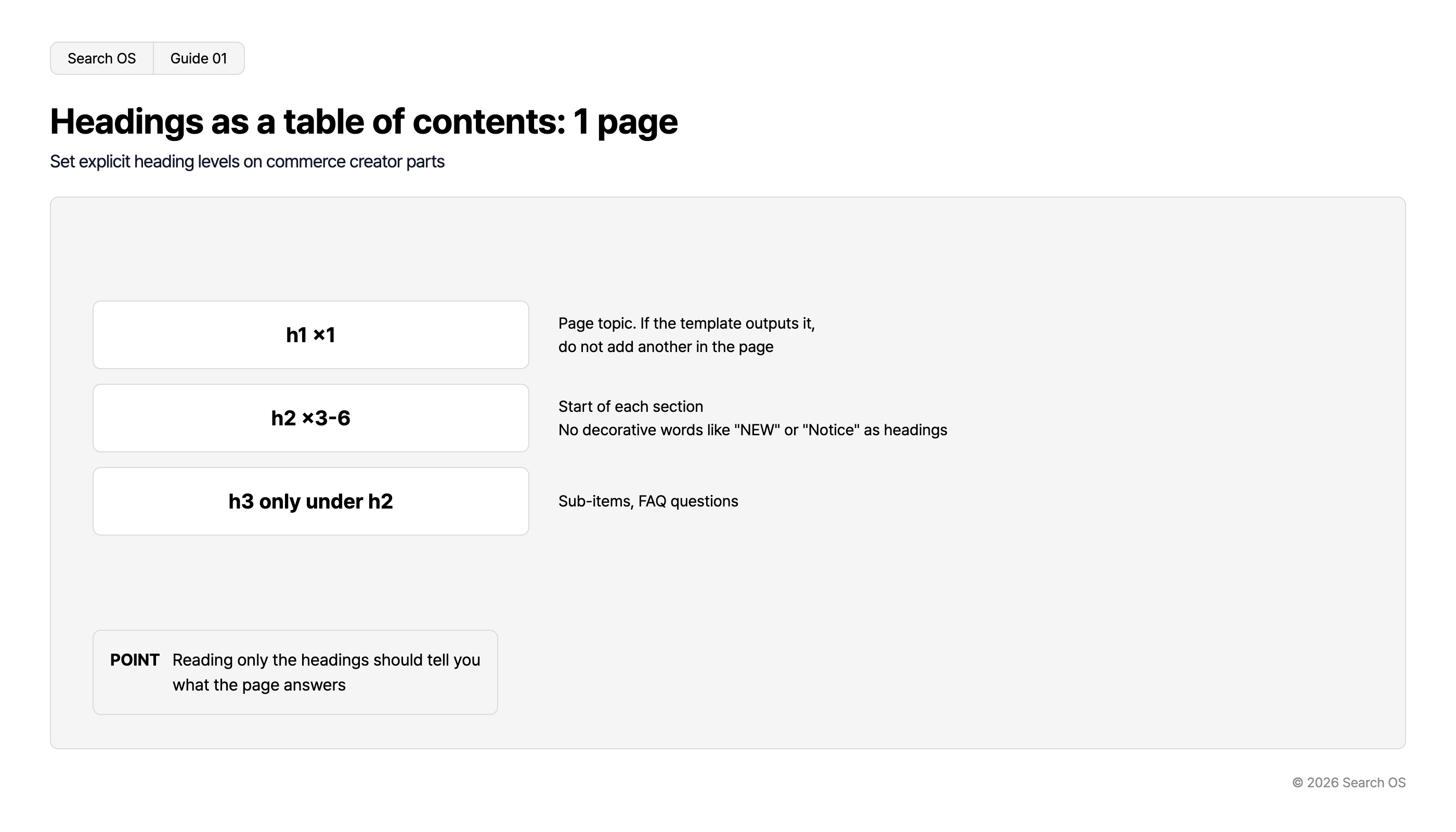
Conclusion: One h1 per page, three to six h2s, and h3 only under an h2
Breakage pattern | What happens | Fix |
|---|---|---|
No h1 | The page's subject doesn't come through | Make the template or the topmost heading part the h1 |
Multiple h1s | The subject is split | Change the second and later ones to h2 |
No h2, only h3 and h4 | The hierarchy can't be read | Make the start of each section an h2 |
Decorative large text as h2 | "Notice" and "NEW" become headings | Change to a text part plus CSS |
Headings only in images | No headings exist | Place a text heading under the image |
Navigation
- Search OS
- Guide 01
Headings as a table of contents: 1 page
Set explicit heading levels on commerce creator parts
| Heading Level | Description |
|---|---|
| h1 ×1 | Page topic. If the template outputs it, do not add another in the page |
| h2 ×3-6 | Start of each section. No decorative words like "NEW" or "Notice" as headings |
| h3 only under h2 | Sub-items, FAQ questions |
- POINT
- Reading only the headings should tell you what the page answers
© 2026 Search OS
Key idea: Headings are a table of contents, not decoration. Reading only a book's table of contents tells you what it covers. The right state is one where pulling out just the page's headings tells you what the page answers. Write out only the headings of your own page and test whether they read as a table of contents.
How to spot heading breakage
Open the target page and use the browser's developer tools to search for
h1,h2, andh3tagsList only the headings, top to bottom. A browser extension's heading-list feature is fine too.
Read the list and check whether the page's content is clear. Also check that no levels are skipped.
If the list of headings is nothing but "NEW," "Recommended," and "See more," it is broken. On an apparel LP whose only headings are "NEW" and "See more," nobody can tell what the page is about. Pull the heading list from one main LP.
Fixing each part
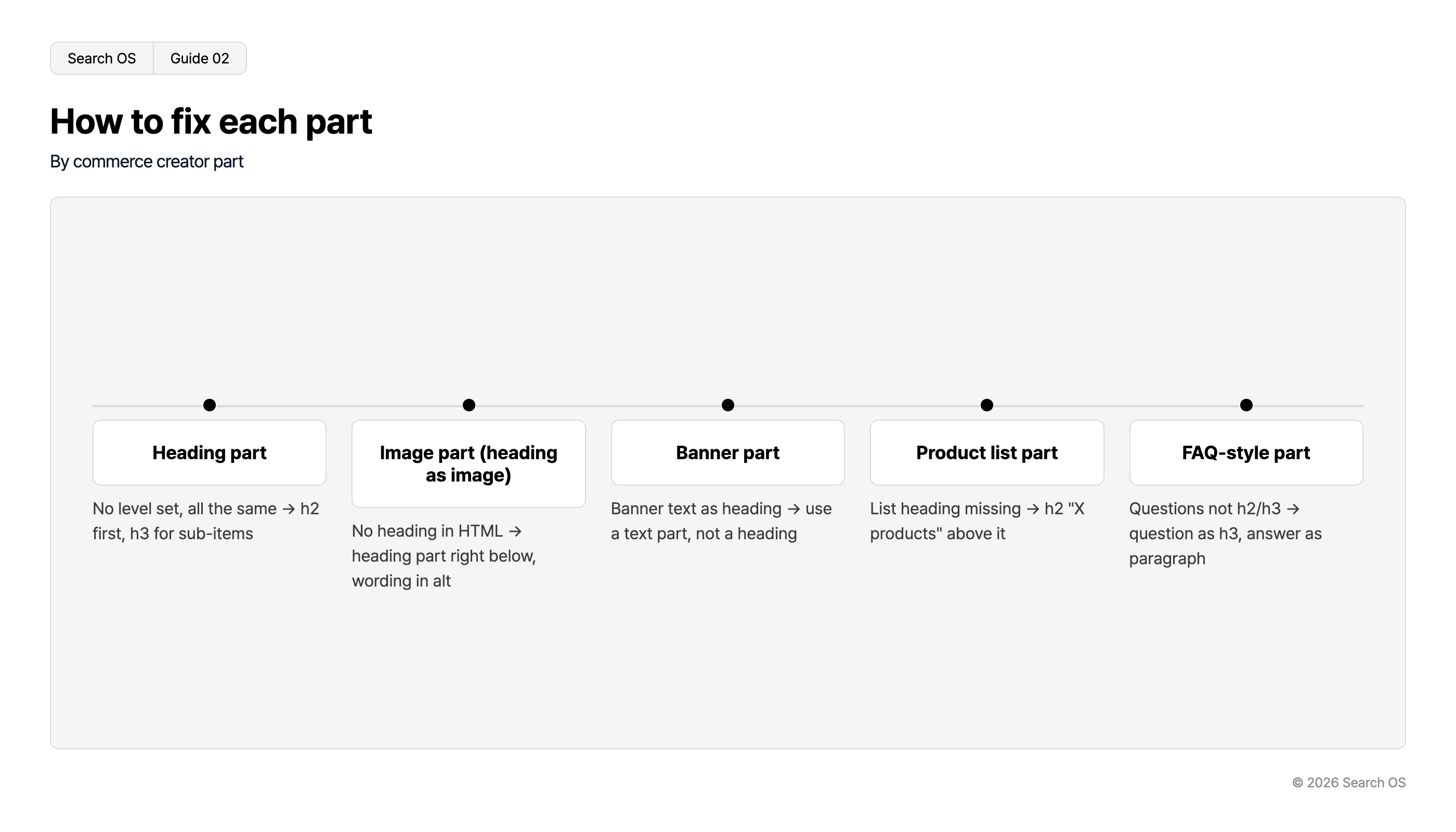
Part type | Problem | Fix |
|---|---|---|
Heading part | No level specified, or all at the same level | Set the start of a section to h2 and sub-items within it to h3 |
Image part (heading rendered as an image) | No heading in the HTML | Place a heading part directly under the image. Put the heading text in the alt |
Banner part | The banner text has become a heading | Don't make it a heading. Use a text part |
Product list part | The list's heading is missing | Put an h2 "X product list" above the list |
FAQ-style part | Questions aren't h2 or h3 | Questions as h3, answers as paragraphs |
Navigation
- Search OS
- Guide 02
How to fix each part
By commerce creator part
| Part Name | Description |
|---|---|
| Heading part | No level set, all the same → h2 first, h3 for sub-items |
| Image part (heading as image) | No heading in HTML → heading part right below, wording in alt |
| Banner part | Banner text as heading → use a text part, not a heading |
| Product list part | List heading missing → h2 "X products" above it |
| FAQ-style part | Questions not h2/h3 → question as h3, answer as paragraph |
© 2026 Search OS
Check the commerce creator part specifications for whether each part lets you set the heading level. Some parts don't. In that case, combine them with a heading part. The form is a heading part placed one step below a banner image. Find the parts whose heading exists only as an image and add a text heading.
When the template already outputs an h1
The page template sometimes outputs an h1 automatically (the shop name or the page title). If you also place an h1 within the page, there are two. Check first whether the template outputs an h1. If it does, start the page's top-level headings from h2. This avoids hanging a second sign on a store that already has one. Check the template's heading output before anything else.
Operating rules to keep headings from breaking
Before building a page, write the headings-only table of contents first (three to six h2s, h3s if needed).
Stack parts according to the table of contents. It is the same as stacking blocks according to a plan. Big text that isn't in the table of contents is treated as decoration and not made a heading.
Before publishing, pull out the heading list and read it.
When you duplicate an LP to make a new page, don't leave the headings as they are. The previous LP's subject lingers.
What remains after the headings are fixed
Tidying the headings tells machines where the answer is on the page. That alone, though, doesn't tell you whether the page gets cited. Structured data is a description that writes the page's content in a form machines can read. Whether AI search bots are actually fetching the page, and whether the structured data matches the headings' content: both need a separate check.
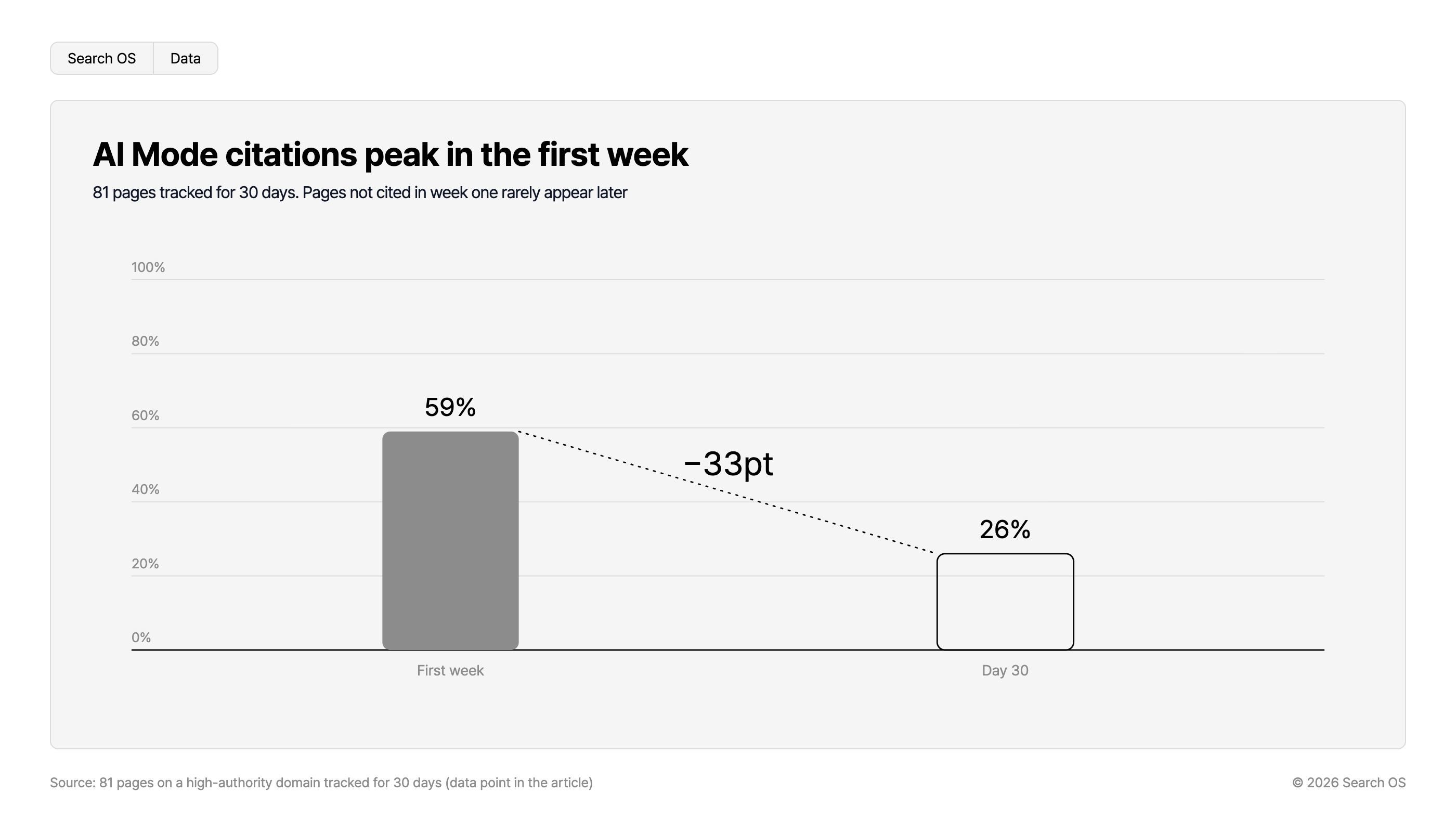
Data point: In an experiment tracking 81 pages on a high-authority domain for 30 days, Google AI Mode cited 59% in the first week. By day 30 it had fallen to 26%. Pages not cited in the first week were rarely cited afterward. Whether the page is in a readable state in the first weeks after publication shapes what follows.
Navigation
- Search OS
- Data
AI Mode citations peak in the first week
81 pages tracked for 30 days. Pages not cited in week one rarely appear later
| Time Period | Citation Percentage |
|---|---|
| First week | 59% |
| Day 30 | 26% |
- Change
- -33pt
Source: 81 pages on a high-authority domain tracked for 30 days (data point in the article)
© 2026 Search OS
Search OS supports existing shops, including those on futureshop. It continuously checks page heading structure, metadata, and structured data, and organizes broken pages and pages bots can't fetch as fixes to make. It runs like a regular health check. It doesn't replace building in commerce creator. It is the layer that keeps watching that the pages you build are read correctly by search and AI. Check whether a published page is in a readable state right after publishing.
Frequently asked questions
Will fixing the headings raise rankings?
It doesn't act on rankings directly. It makes clear which part of the page answers what. AI search citations are often cut out at the heading level, and without headings a page is unlikely to become a citation candidate.
Should I use h4 and below?
h3 is usually enough. A page deep enough to need h4 and below gets read more if split into several pages.
What should the heading text say?
Using the reader's question as the heading, as is, is the strongest. "Which size should I choose" matches the question better than "How to choose a size."
Related reading
The Structured Data futureshop Outputs Automatically and What to Add for AI Search
Duplicate URLs from futureshop's Multiple Group Registration and canonical Design
What Keywords Alone Miss in AI Search: A Query Fan-Out Research Guide
References
Google Search Central: SEO Starter Guide: Organize your site
Google Search Central: Creating helpful, reliable, people-first content