Crawl Budget and Index Gaps at Tens of Thousands of Products
Navigation
- Search OS
- EC in general
Crawl Budget and Index Gaps at Tens of Thousands of Products
- Category
- Guides
- Reading Time
- 7 min read
- Topic
- Japan EC platform guides for search and AI search
On a marketplace with more than tens of thousands of products, the crawler's processing limit becomes the direct cause of index gaps. Slow indexing of new products starts here. Sitemap splitting and lastmod, blocking low-value URLs, prioritizing through internal links, and observation in bot logs: this article explains how to run these four as a set.
- Source
- searchos.io/en/blog
- Copyright
- © 2026 Search OS
On a marketplace with tens of thousands of products, new products are slow to be indexed. Search Console shows "Discovered - currently not indexed" in the tens of thousands. Shops with catalogs this size ask about managing crawl budget.
A crawler has a limit on how many URLs it can process in a given period. At this scale, that limit becomes the direct cause of index gaps. Factors you could ignore up to a few thousand products start to decide the outcome past tens of thousands.
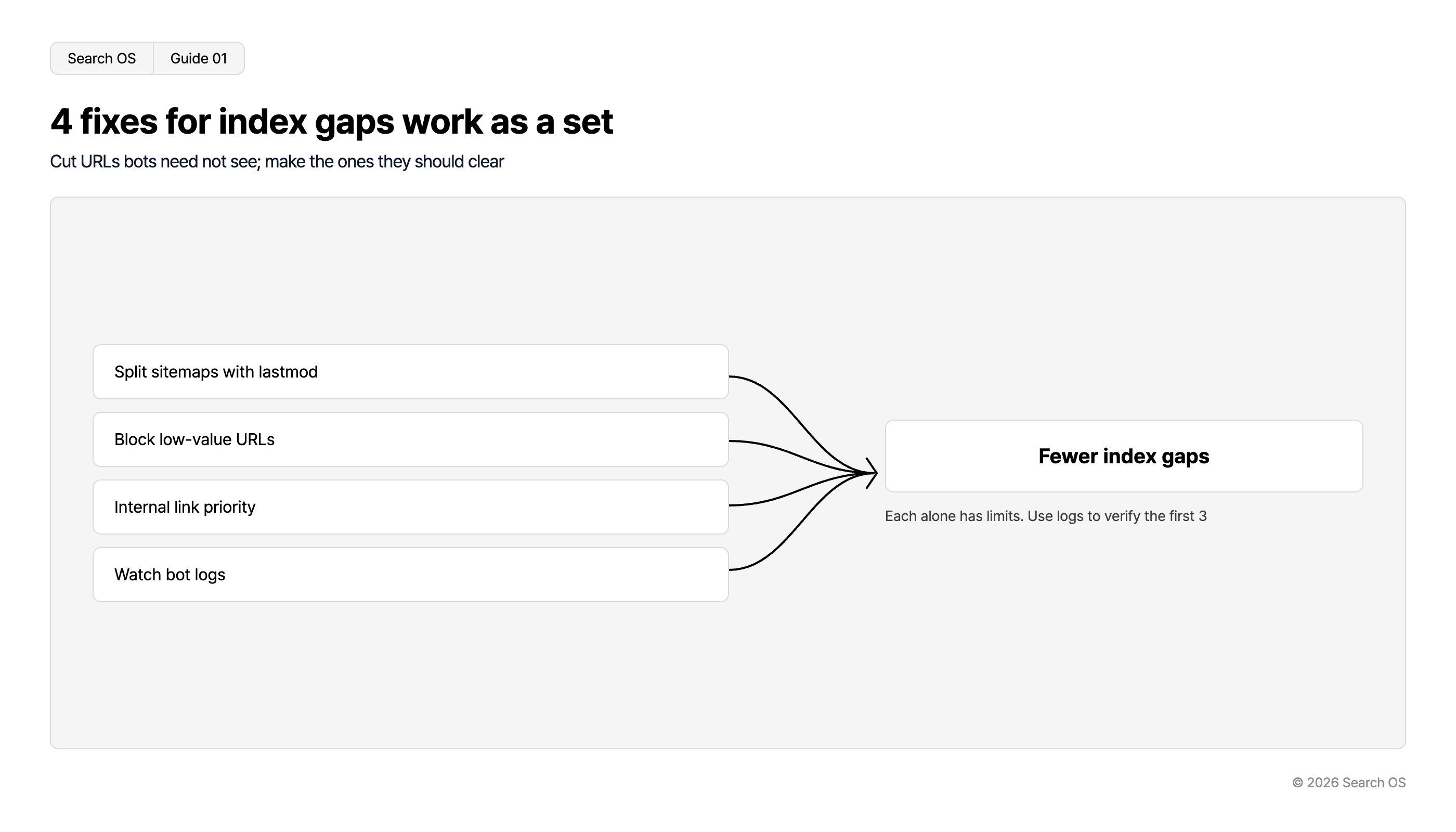
The answer is to run four tasks as a set. A sitemap is the list of page URLs handed to search engines. Sitemap splitting and lastmod accuracy, blocking low-value URLs, conveying priority through internal links, and observation in bot logs. Any one of them alone doesn't work. This article explains how to run the cycle.
Conclusion: Run the four as a set
Task | Purpose | Limit when done alone |
|---|---|---|
Sitemap splitting and lastmod | Tell the crawler exactly what changed and when | With many low-value URLs, the crawler may favor discovered links over the sitemap |
Blocking low-value URLs | Stop filter, sort, and duplicate URLs from consuming budget | Even when blocked, discovery continues if internal links point to them |
Internal link priority | Concentrate links on important pages and flatten deep hierarchies | If the sitemap and lastmod are inaccurate, update detection lags |
Bot log observation | See which URLs are actually being fetched | Observation alone doesn't improve anything; use it to verify the three above |
Navigation
- Search OS
- Guide 01
4 fixes for index gaps work as a set
Cut URLs bots need not see; make the ones they should clear
| Fix Strategy | Outcome |
|---|---|
| Split sitemaps with lastmod | Fewer index gaps |
| Block low-value URLs | Fewer index gaps |
| Internal link priority | Fewer index gaps |
| Watch bot logs | Fewer index gaps |
Each alone has limits. Use logs to verify the first 3
© 2026 Search OS
Key idea: Crawl budget is the time and number of requests a crawler spends on a site. It's determined by the site's size and response speed, and by how many URLs the crawler finds. The shortest route to fewer index gaps is to reduce the URLs that don't need to be seen and make clear the URLs that should be. Start by counting how many URLs don't need to be seen.
The path to an index gap
Here is the typical path to index gaps on a marketplace with tens of thousands of products, in order.
Filters, sorting, and pagination generate URLs numbering dozens of times the product count.
The crawler discovers and fetches them (canonical and noindex are read only after fetching).
Most of the budget goes to fetching low-value URLs.
Discovery of new and updated products lags, and "Discovered - currently not indexed" grows.
URLs of discontinued products remain as-is and consume still more budget as errors or thin pages.
Look at the "Crawled - currently not indexed" URLs in Search Console. Check the "Discovered - currently not indexed" URLs by type too. That shows where on this path things are stuck. If they are mostly filter URLs, blocking comes first.
Sitemap operations: splitting and lastmod
Item | Recommendation | Reason |
|---|---|---|
Split unit | Separate by product, category, and content; fifty thousand URLs or fewer per file | Index status can be tracked by type |
Index file | Bundle with a sitemap index | One submission target |
lastmod | Update only when the content actually changed | Updating every URL daily makes lastmod untrusted |
Discontinued products | Remove from the sitemap; return 404 or 410 | Fewer fetches of URLs that no longer exist |
What to include | Only indexable URLs whose canonical points to themselves | Listing duplicate URLs wastes budget |
lastmod accuracy matters most. If lastmod updates every time a product's stock count changes, the crawler reads it as always updated and stops using it as an update signal. Design it to update only when price, description, or specifications change. Check what triggers your lastmod updates.
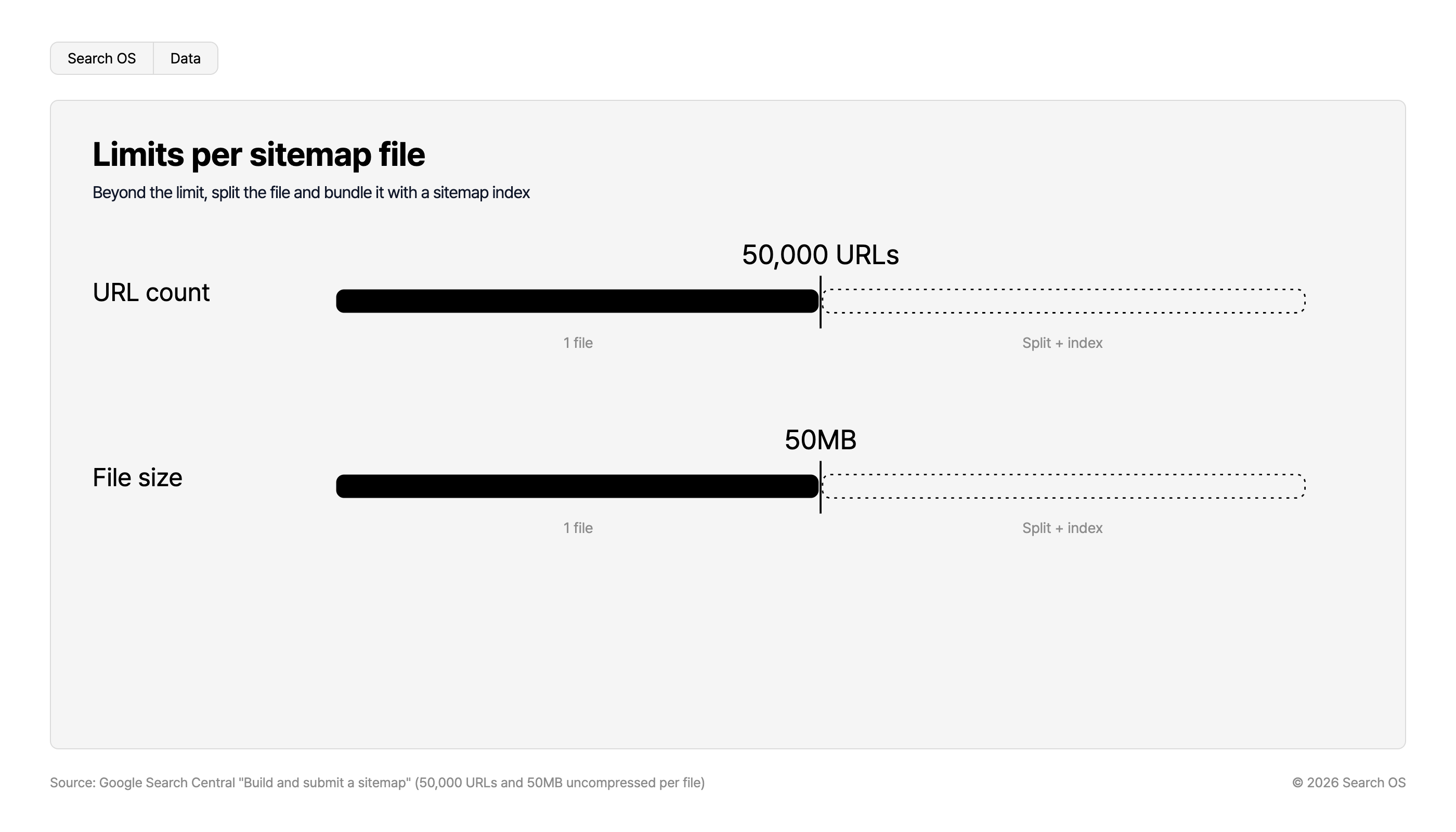
Limits per sitemap file
Beyond the limit, split the file and bundle it with a sitemap index
| Metric | Limit (1 file) | Beyond Limit |
|---|---|---|
| URL count | 50,000 URLs | Split + index |
| File size | 50MB | Split + index |
Source: Google Search Central "Build and submit a sitemap" (50,000 URLs and 50MB uncompressed per file)
© 2026 Search OS
Blocking low-value URLs: handling by type
URL type | Example | Handling |
|---|---|---|
Sorting | ?sort=price | Disallow crawling in robots.txt, or point canonical to the parent |
Filters (no search demand) | ?color=red&size=M | Disallow in robots.txt |
Filters (with search demand) | Combinations people search for, such as "men's waterproof jacket" | Promote to a proper category page with a description and make it indexable |
Pagination | ?page=2 | Keep indexable; canonical points to each page itself |
Session and tracking | ?utm=, ?sid= | Disallow in robots.txt |
Discontinued products | Old URLs | 404/410. Redirect if there's a successor product |
Breadcrumbs
- Search OS
- Guide 02
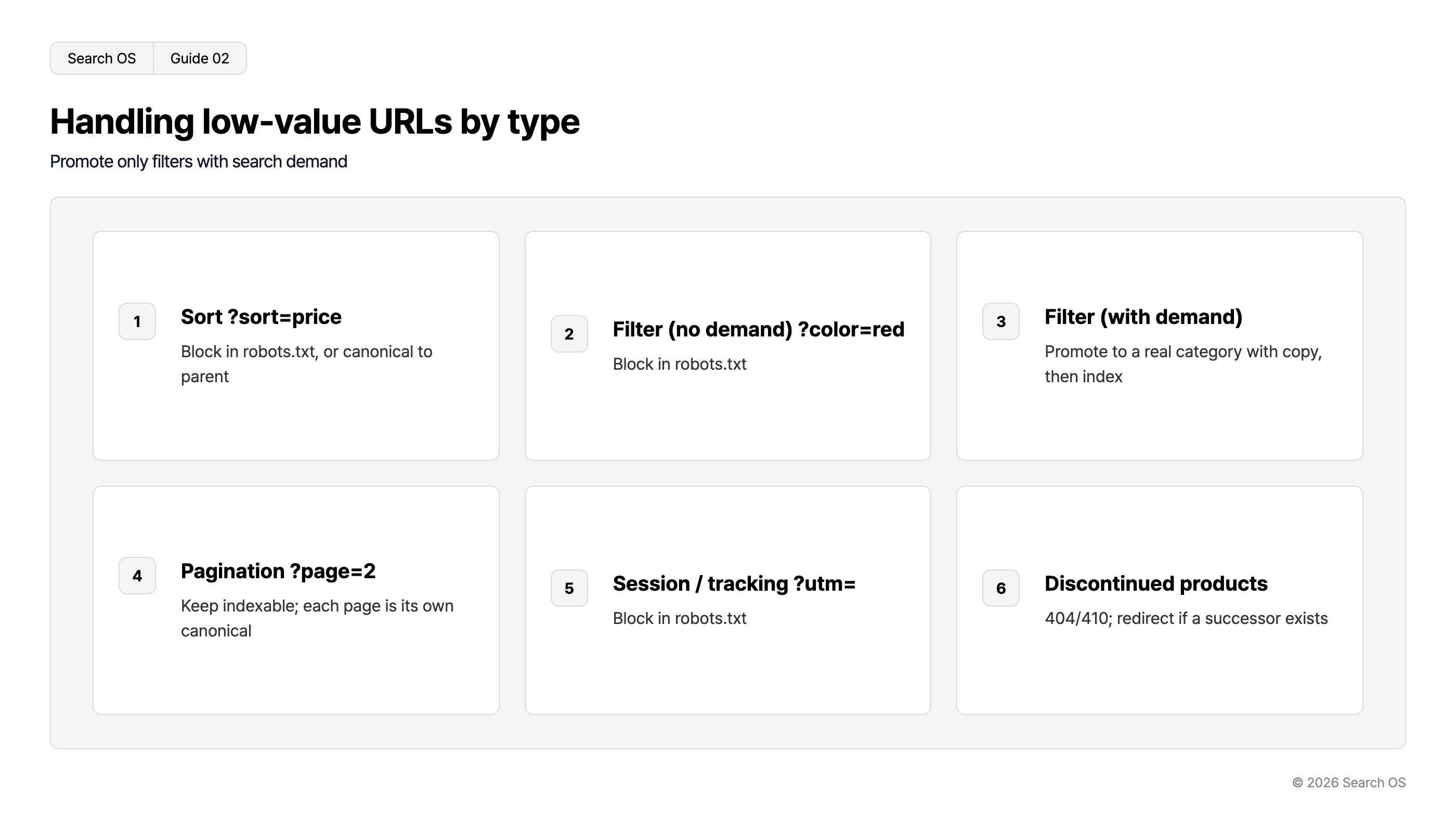
Handling low-value URLs by type
Promote only filters with search demand
| number | type_example | action |
|---|---|---|
| 1 | Sort ?sort=price | Block in robots.txt, or canonical to parent |
| 2 | Filter (no demand) ?color=red | Block in robots.txt |
| 3 | Filter (with demand) | Promote to a real category with copy, then index |
| 4 | Pagination ?page=2 | Keep indexable; each page is its own canonical |
| 5 | Session / tracking ?utm= | Block in robots.txt |
| 6 | Discontinued products | 404/410; redirect if a successor exists |
© 2026 Search OS
robots.txt is the file that tells crawlers where they may go. URLs disallowed there never have their canonical or noindex read. If you want to remove URLs that are already indexed, order matters. First remove them from the index with noindex, then block them in robots.txt once they're gone. Check first whether the URLs you want to block are already indexed.
Convey priority with internal links
Crawlers favor pages that gather many links and pages close to the top page. At tens of thousands of products, check these three points.
See whether main products and main categories are within 3 clicks of the top page.
See whether category pagination has grown too deep (if one category runs to hundreds of pages, split it into subcategories).
Check that links from product pages to related products and the parent category are output consistently by the template.
Verify the effect in bot logs
The effect of the three tasks above can only be verified in bot logs. At minimum, look at the following weekly.
Metric | Change to look for |
|---|---|
Share of fetched URLs that are low-value | Decreasing |
Share of fetched URLs that are product pages | Increasing |
Days from a new product's publication to its first fetch | Getting shorter |
Number of 4xx and 5xx responses | Decreasing |
Fetch targets of bots other than Googlebot (GPTBot, PerplexityBot, and so on) | Reaching product pages |
The last item bears directly on product recommendations in AI search. It's not unusual for AI-side bots to use up their budget on low-value URLs and never reach product pages. Check in the logs whether GPTBot is reaching product pages.
At tens of thousands of products, manual operation doesn't last
The work above isn't done once and finished. Products are added and discontinued every day. Filter conditions multiply and templates change. Sitemap accuracy, the validity of blocking rules, the state of internal links, and bot fetch patterns all need continual review.
Search OS takes on this continual part as an operation. It doesn't change the existing marketplace's structure. It provides sitemaps, canonical, metadata, and structured data for search engines and AI crawlers as a separate layer. Which URLs Googlebot, GPTBot, and PerplexityBot fetch, and how much: it observes this continuously in bot logs. It compiles the URL groups causing index gaps and the places to fix first. The goal is to keep crawlers reaching the pages that should be seen, even at millions of pages. Whether you can keep reviewing without relying on people is what separates the outcomes.
Frequently asked questions
Can I apply to have crawl budget increased?
No. You respond by raising the site's response speed and reducing wasted URLs. The idea is to increase the number of important URLs processed within the same budget.
Will putting noindex on every filter URL solve it?
noindex removes them from the index, but fetching continues. Reducing budget use requires blocking in robots.txt. Combinations with search demand, though, should be promoted to proper pages.
Are AI search bots affected by crawl budget too?
Yes. GPTBot and others decide how much to fetch based on the site's structure and response speed. On a site with many low-value URLs, they may stop fetching before reaching product pages.
Related reading
Sitemap Operations for Large Sites: lastmod, Splitting, and Submission
Do Duplicate URLs from Shopify Collections and Tags Affect Crawling
SEO and GEO Explained: AI Search Optimization for Large Platforms
References
Google Search Central: Managing crawl budget for large sites
Google Search Central: Managing large sitemaps
Google Search Central: Faceted navigation best practices
Google Search Central: Page Indexing report