makeshop: Fixing Double Structured Data Output
makeshop: Fixing Double Structured Data Output
- Category
- Guides
- Reading Time
- 6 min read
- Topic
- Japan EC platform guides for search and AI search
makeshop outputs basic structured data as standard. Adding your own JSON-LD in Creator Mode on top of it outputs the same type twice and triggers errors in the Rich Results Test. This article covers how to find double output, how to decide which one to keep, and which types are safe to add.
- URL
- searchos.io/en/blog
- Copyright
- © 2026 Search OS
When you add JSON-LD to a product page in makeshop's Creator Mode, the Rich Results Test may detect two Product entries and report an error.
This means the structured data makeshop outputs as standard and the JSON-LD you added are both on the same page with the same type. Structured data is a description of a page's content written in a form machines can read. The validation tool can't decide which one is correct, so it reports errors or warnings. When there's an error, the whole block may be ignored, and the result can be worse than before you added anything.
This article covers how to find double output, the criteria for deciding which one to keep, and how to safely add only the types missing from the standard output.
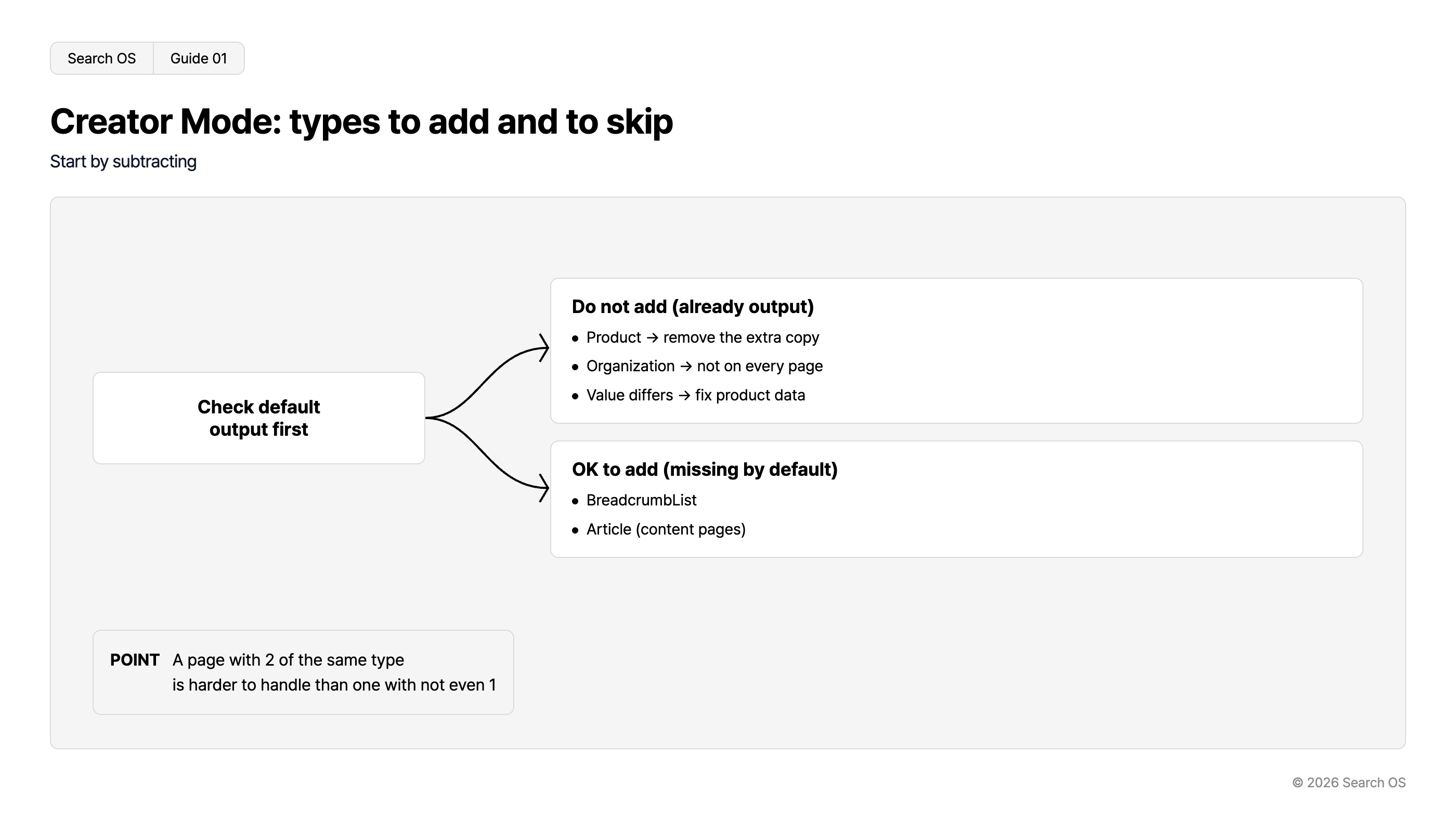
Conclusion: Check the standard output first, and don't add the same type. Add only what's missing
Situation | Action |
|---|---|
Standard output has Product + Product added in Creator Mode | Delete the addition. Keep the standard |
Standard output has Product + standard values differ from the screen | Fix the product data instead of adding |
Standard output has no BreadcrumbList | Safe to add in Creator Mode |
Standard output has no Article (content pages) | Safe to add in Creator Mode |
Standard output has Organization | Don't add. Don't put it on every page |
Navigation
- Search OS
- Guide 01
Creator Mode: types to add and to skip
Start by subtracting
Check default output first
Do not add (already output)
- Product → remove the extra copy
- Organization → not on every page
- Value differs → fix product data
OK to add (missing by default)
- BreadcrumbList
- Article (content pages)
- POINT
- A page with 2 of the same type is harder to handle than one with not even 1
© 2026 Search OS
Key idea: More structured data isn't better. A page with two of the same type is harder to handle than a page with none. It's like a clerk wearing two name tags: you don't know which name to use. Before adding, start by subtracting.
How to find double output
Run the product page URL through the Rich Results Test
Look at the list of detected types. Two or more of the same type means double output
Open the page source and search for
application/ld+json. If it appears two or more times, identify whether each comes from the standard template or from what you addedRun the same check on category pages and the top page
To find where makeshop's standard output sits in the template, search for ld+json inside the Creator Mode template. Start by running a product page through the Rich Results Test once.
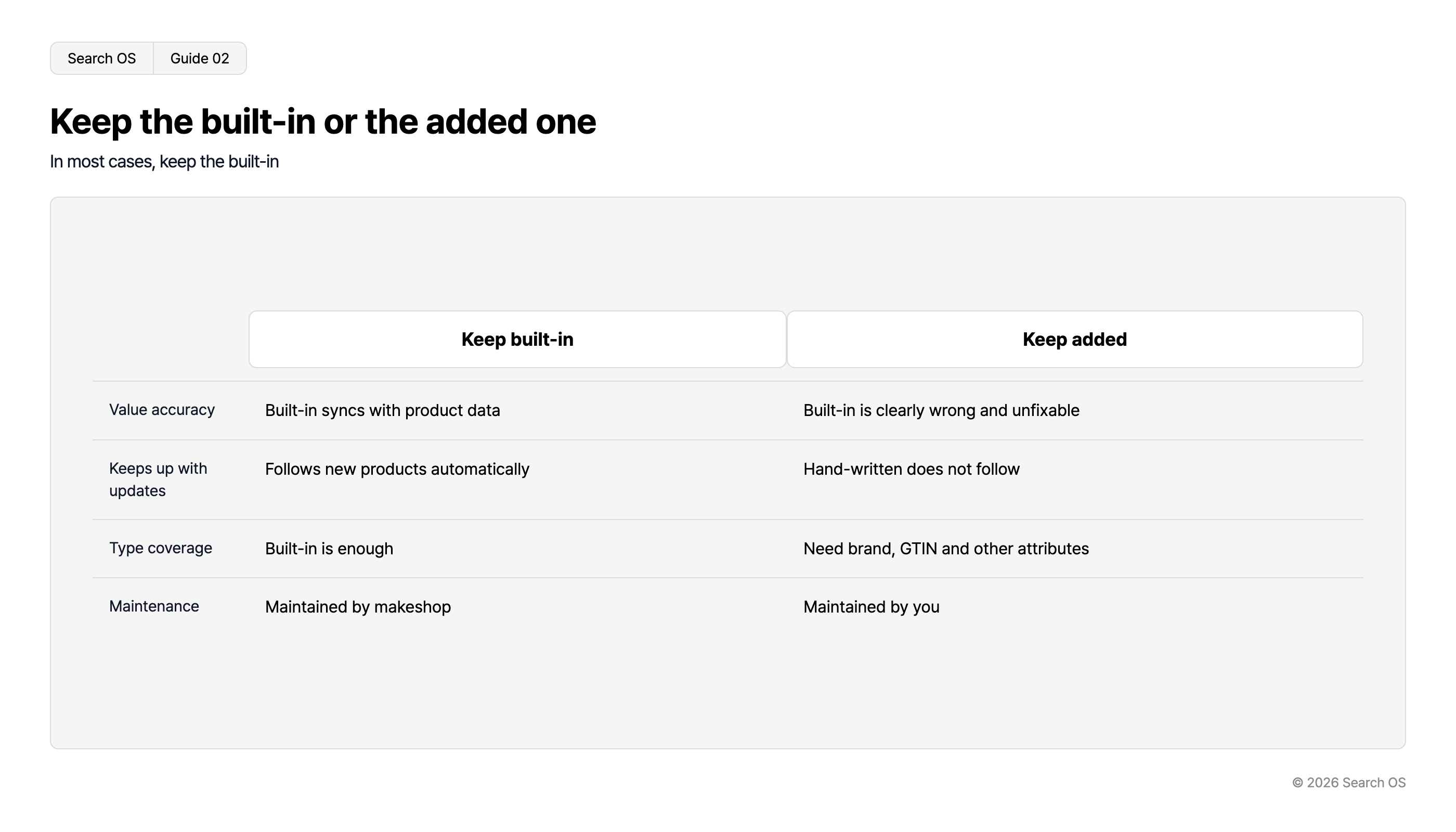
Deciding which one to keep
Criterion | Keep the standard | Keep the addition |
|---|---|---|
Value accuracy | Standard is in sync with product data | Standard is clearly wrong and can't be fixed |
Following updates | Standard follows product additions automatically | Hand-written additions don't follow |
Type coverage | Standard is sufficient | Attributes missing from the standard (brand, GTIN, and so on) are needed |
Maintenance | makeshop maintains the standard | You maintain the addition yourself |
Navigation
- Search OS
- Guide 02
Keep the built-in or the added one
In most cases, keep the built-in
| Criteria | Keep built-in | Keep added |
|---|---|---|
| Value accuracy | Built-in syncs with product data | Built-in is clearly wrong and unfixable |
| Keeps up with updates | Follows new products automatically | Hand-written does not follow |
| Type coverage | Built-in is enough | Need brand, GTIN and other attributes |
| Maintenance | Maintained by makeshop | Maintained by you |
© 2026 Search OS
In most cases, keeping the standard and deleting the addition is the right call. When standard values differ from the screen, don't override the JSON-LD; fix the source product data (price, stock, product name). Fixing only the JSON-LD gets reverted at the next update. It's like rewriting a price tag: if the register data is old, the checkout goes back to the original amount. Delete the addition, then check whether the standard values match the screen.
Safely adding the missing types
Add only the types the standard output doesn't include. The ones makeshop tends not to output as standard are BreadcrumbList and Article on content pages.
There are only three principles when adding.
Fill values dynamically with Creator Mode's own tags. Don't write fixed strings
Confirm the added type doesn't overlap with a type in the standard output
After adding, re-verify on three kinds of product page (normal, out of stock, with variations)
When the standard output lacks attributes
Sometimes attributes are missing, such as the standard Product carrying no brand name or product code. In that case, rather than adding a whole Product, choose one of the following.
Disable the standard output and consolidate on your own JSON-LD. The switch is under Shop Setup > Settings > SEO/SNS/Marketing > Access-analytics tag settings (menu labels are in Japanese in the admin)
If you don't disable it, keep the standard and give up the missing attributes. Missing attributes do less harm than double output
Keeping what you added intact
Structured data added in Creator Mode can break every time the template changes. The same goes for changes in makeshop's specifications. Being correct on the day it was added is no guarantee it's correct three months later. Like watering a plant, it isn't done once and finished.
Search OS continuously verifies the state of structured data output on existing shops, including makeshop. It detects double output, mismatches with the screen, and breakage after template changes, and compiles them as fix candidates. Bot logs also confirm whether search engines and AI crawlers are actually fetching the pages. It doesn't do the adding for you; it is a layer that keeps watching whether what was added is still correct today. Record the day you change a template, and re-verify afterward.
Frequently asked questions
What happens if I leave double output alone?
Validation errors persist, and rich results may stop showing. AI search finds contradictory structured data hard to trust and may fail to classify the page.
What if I want to change the contents of the standard output?
The basic approach is to fix the product data (product name, price, stock, images). The standard output is generated from it.
Is the Google Merchant Center integration related to structured data?
Merchant Center is a separate route that passes information through a product feed. If the page's structured data and the feed values differ, Merchant Center may show a mismatch warning. Keep both sets of values aligned.
Related reading
Can makeshop's Built-In Blog Alone Get Picked Up by AI Search: What's Missing and What to Add
makeshop and WordPress: Put the Blog on a Separate Domain or Under the Shop
How Far Can You Trust EC-CUBE SEO Plugins: Criteria for Owning Your Structured Data
References
Google Search Central: Product structured data
Google Search Central: General structured data guidelines
Google: Rich Results Test
Google Merchant Center Help: Structured data for Merchant Center