SEO for Pages Created by Shopify's Japan-Specific Apps
Navigation
- Search OS
- Shopify
SEO for Pages Created by Shopify's Japan-Specific Apps
- Category
- Guides
- Reading Time
- 5 min read
- Topic
- Japan EC platform guides for search and AI search
Running Shopify in Japan means relying on Japan-specific apps for noshi (gift wrapping), delivery date and time selection, and convenience store pickup. Whether to index or exclude the pages and parameterized URLs these apps create is a judgment call. This article covers the typical output of each app type, the indexing decision, and how to tell AI search that you offer Japan-specific services.
- Source URL
- searchos.io/en/blog
- Copyright
- © 2026 Search OS
After installing Japan-specific delivery scheduling or noshi (gift wrapping) apps on Shopify, you may see pages apparently created by the app, or URLs with parameters, listed as indexed in Search Console. A parameter is extra information appended to the end of a URL. Store owners ask whether these can be left alone.
The answer depends on how the app is implemented. Many Japan-specific apps receive information as cart attributes or order notes and don't create pages of their own. Others, however, create configuration pages or parameterized URLs that preserve a selected state. If those get indexed, thin pages accumulate. Leaving them alone won't lower your rankings. It does waste crawling, though. Exclusions in Search Console also pile up, which makes the real problems harder to see.
This article covers the kinds of things apps create, how to decide between indexing and excluding them, and how to tell AI search that you offer Japan-specific services.
Conclusion: don't index app pages. Communicate what you offer on your own static pages
What the app creates | Index | Action |
|---|---|---|
Configuration and admin pages | No | noindex, or make private on the app side |
Parameterized URLs (preserving a selection) | No | Consolidate to the original URL with canonical. Mark the parameter as ignorable in Search Console |
Added elements on the cart page (date and time picker, noshi selector) | N/A | The cart is noindex to begin with |
"Shipping" and "Noshi" information pages | Yes | Build them yourself and make them substantial |
Navigation
- Search OS
- Guide 01
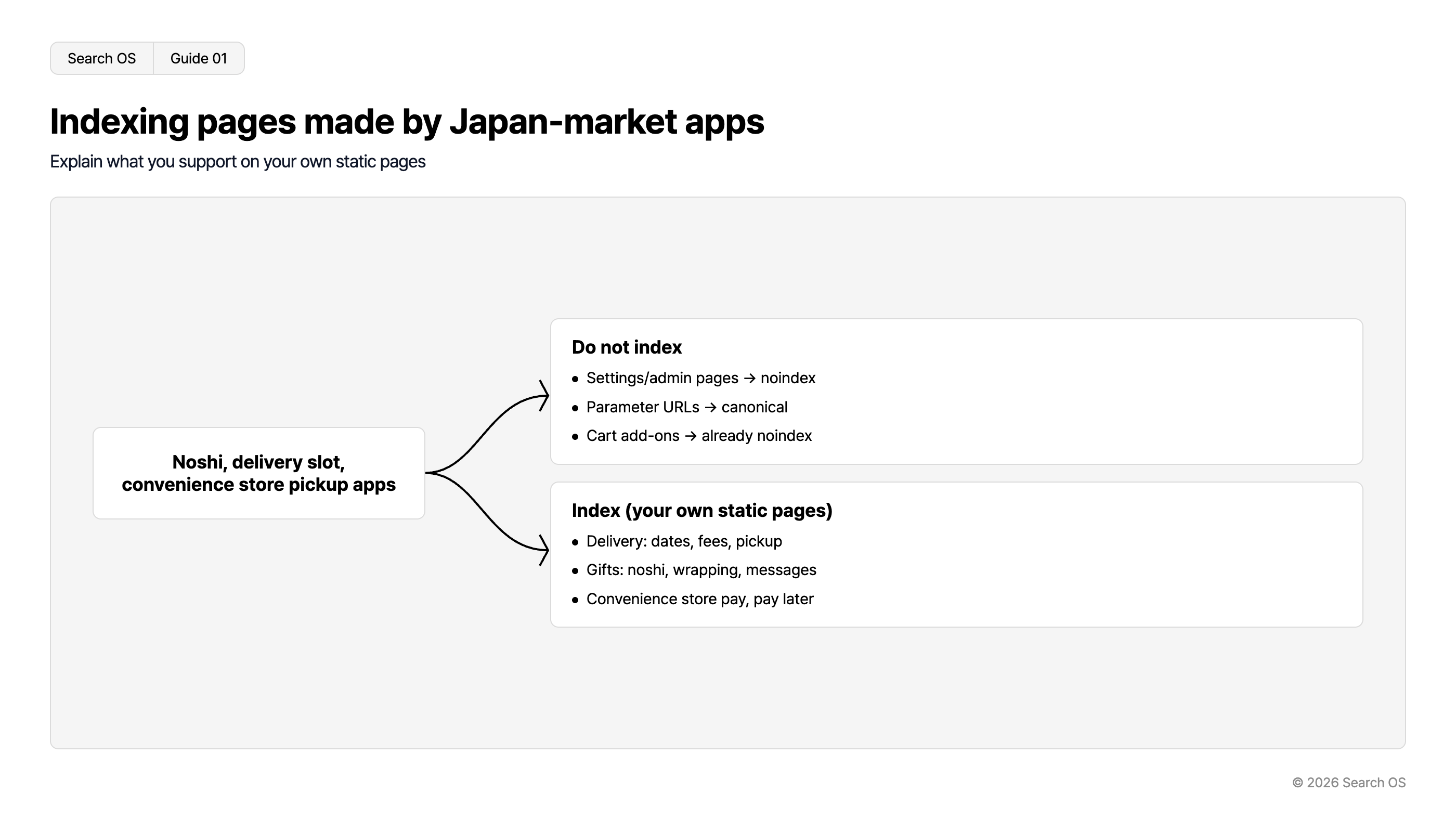
Indexing pages made by Japan-market apps
Explain what you support on your own static pages
Noshi, delivery slot, convenience store pickup apps
Do not index
- Settings/admin pages → noindex
- Parameter URLs → canonical
- Cart add-ons → already noindex
Index (your own static pages)
- Delivery: dates, fees, pickup
- Gifts: noshi, wrapping, messages
- Convenience store pay, pay later
© 2026 Search OS
Key idea: "You can choose a delivery date" and "noshi is available" are important answers to pre-purchase questions. For someone looking for an ochugen (mid-year) gift, whether noshi is available can be the deciding factor. The place to say so isn't the app's page. Write it as text on your own static pages.
First, find out what the app is creating
In the Search Console pages report, look for unfamiliar paths (/apps/, /a/, /tools/, etc.) and URLs containing parameters
Open those URLs and look at the content. If it's a settings screen, an empty page, or a page that only preserves a selection, it doesn't need indexing
If the app's admin has a setting that generates public pages, check it
Apps that use an app proxy have pages under /apps/ on your store's domain. Check whether this path is being indexed.
How to keep them out of the index
Method | When to use it |
|---|---|
Disallow /apps/ in robots.txt.liquid | Prevents app proxy pages from being crawled. Shopify's robots.txt already disallows some paths by default, so check the current state |
noindex meta tag | When the app's pages can be controlled from the theme |
canonical | Consolidates parameterized URLs to the original URL. Shopify's standard canonical already covers most cases |
App-side settings | When the app can be set not to create public pages |
Navigation
- Search OS
- Guide 02
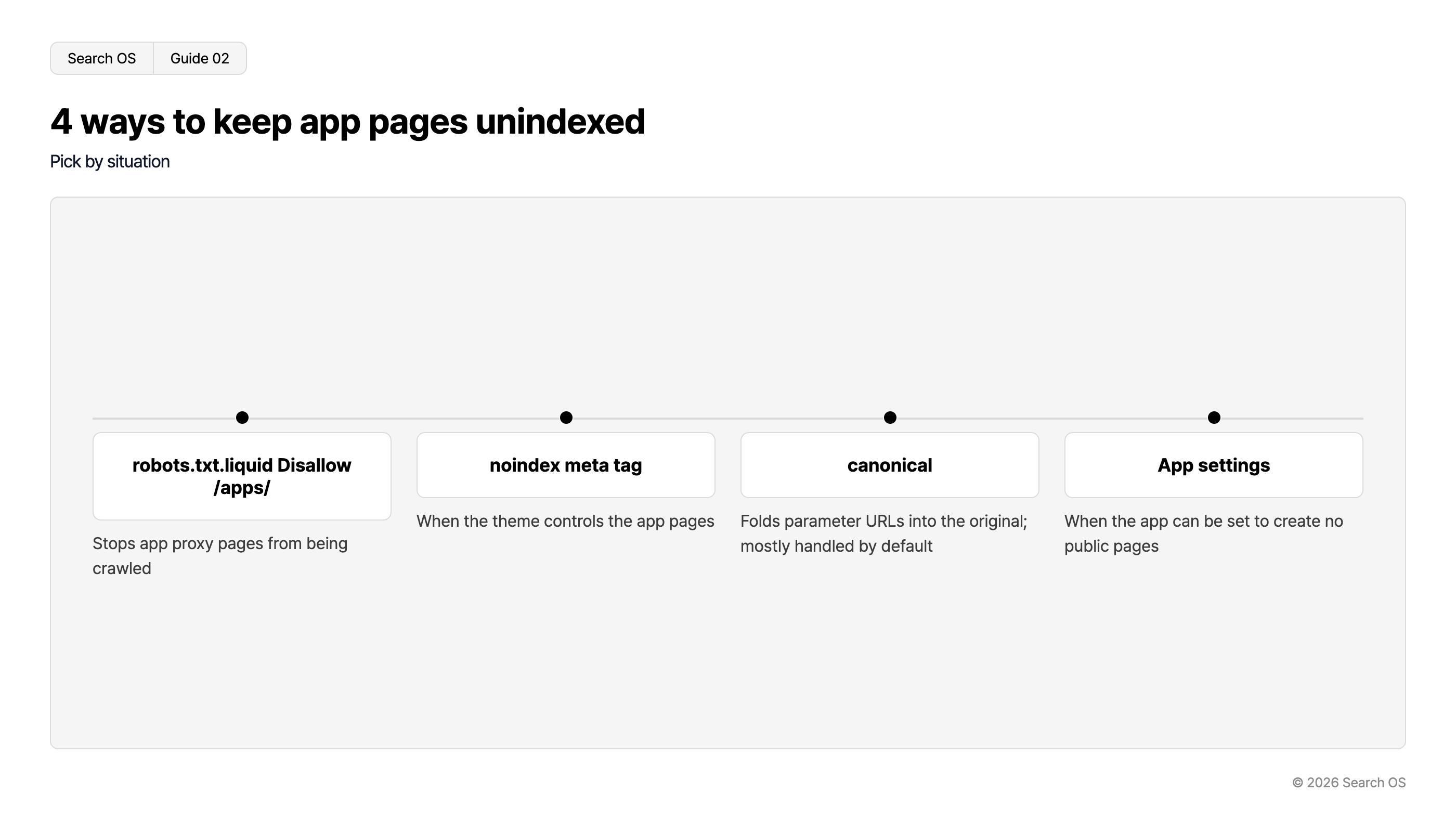
4 ways to keep app pages unindexed
Pick by situation
| Method | Description |
|---|---|
| robots.txt.liquid Disallow /apps/ | Stops app proxy pages from being crawled |
| noindex meta tag | When the theme controls the app pages |
| canonical | Folds parameter URLs into the original; mostly handled by default |
| App settings | When the app can be set to create no public pages |
© 2026 Search OS
Editing robots.txt.liquid means touching theme code. Back up the current version before changing it.
Communicate what you offer on static pages
Instead of indexing the app's pages, create the following static pages. They are the equivalent of the information board at the store entrance.
Page | Content |
|---|---|
Shipping | Whether delivery date and time can be specified, available time slots, shipping cost, delivery days by region, convenience store pickup |
Gift services | Noshi (types, inscriptions), wrapping, message cards, hiding prices on the packing slip |
Payment | Supported payment methods (convenience store payment, deferred payment, cash on delivery), fees |
These pages answer pre-purchase questions such as "Can I pick this up at a convenience store" and "Is noshi available". AI search cites this kind of page. Write them as tables and FAQs so that each question maps to exactly one answer.
Connecting them to product pages
Even after you create static pages, nobody finds them unless product pages link to them. It's like posting a notice in a back room where no one sees it.
A link to "Shipping and gift services" near the buy button on product pages
Links to the three static pages in the footer
Links from the static pages back to the main collections
Operations after adding more apps
One Japan-specific app is rarely enough. Each new one creates new paths or parameters. For each, you have to keep checking whether it's being indexed and, if it shouldn't be, whether it's excluded.
Search OS continuously checks the state of indexed URLs on existing stores, including Shopify. It also looks at robots, noindex, and canonical settings and at the URLs bots actually fetch. Unneeded pages added by apps, and static pages that aren't being fetched, are organized as fix targets. It doesn't replace the work of choosing apps. Watching the indexing state after you've chosen them requires a separate mechanism.
Frequently asked questions
Will indexed app pages lower my rankings?
Not directly. The harm is wasted crawling. Exclusions in Search Console also pile up, which makes the real problems harder to see.
Is editing robots.txt.liquid risky?
A typo can block your product pages too. After editing, always run a URL inspection in Search Console to confirm that your main product pages are still crawlable.
Should I write shipping and noshi information directly on product pages?
Put shared information on static pages and link to them from product pages. Information that differs by product (this item can't take noshi, etc.) goes on the product page. Also check that your main product pages link to the static pages.
Related reading
How Too Many Shopify Apps Hurt Speed, Search, and AI Citations, and How to Cut Back
Duplicate URLs from Shopify Collections and Tags and Crawl Efficiency
How AI Search Reads ecforce Subscription Terms and Cancellation Pages
References
Shopify Help Center: Editing robots.txt.liquid
Google Search Central: Robots.txt introduction
Google Search Central: Block Search indexing with noindex