futureshop-Linked WordPress Posts Missing from the Sitemap
Navigation
- Search OS
- futureshop
futureshop-Linked WordPress Posts Missing from the Sitemap
| Category | Read Time | Description | Source |
|---|---|---|---|
| Guides | 5 min read | Japan EC platform guides for search and AI search | Search OS |
futureshop's XML sitemap covers pages created in the admin panel. Posts written through the WordPress integration aren't included. This article explains why those posts are slow to be discovered and how to register the WordPress sitemap. It also covers internal linking and structured data so the shop and blog are treated as one site.
- URL
- searchos.io/en/blog
- Copyright
- © 2026 Search OS
Shops that write a blog through futureshop's WordPress integration sometimes report that products show up in search while posts take a long time to be indexed. A sitemap is the list of page URLs handed to search engines. In most of these cases, the sitemap has already been submitted.
That sitemap is probably the one futureshop generates automatically. It covers only pages created in the admin panel. Posts written in WordPress sit outside futureshop's admin panel, so they aren't included. Search engines can find posts by following internal links, but pages missing from the sitemap are discovered more slowly. Updates are also easier to miss.
This article explains how posts get left out and how to register the WordPress sitemap. It also covers the design that gets the two systems treated as one site.
Conclusion: Register the WordPress sitemap separately, and connect shop and blog with internal links
Step | What to do |
|---|---|
1 | Open the contents of futureshop's sitemap and confirm post URLs aren't included |
2 | Find the WordPress sitemap URL (generated by WordPress core or an SEO plugin) |
3 | Register the WordPress sitemap in Search Console, separately from futureshop's |
4 | Check internal links from posts to products and from products to posts |
5 | Check canonical and Article structured data on the post side |
Navigation
- Search OS
- Guide 01
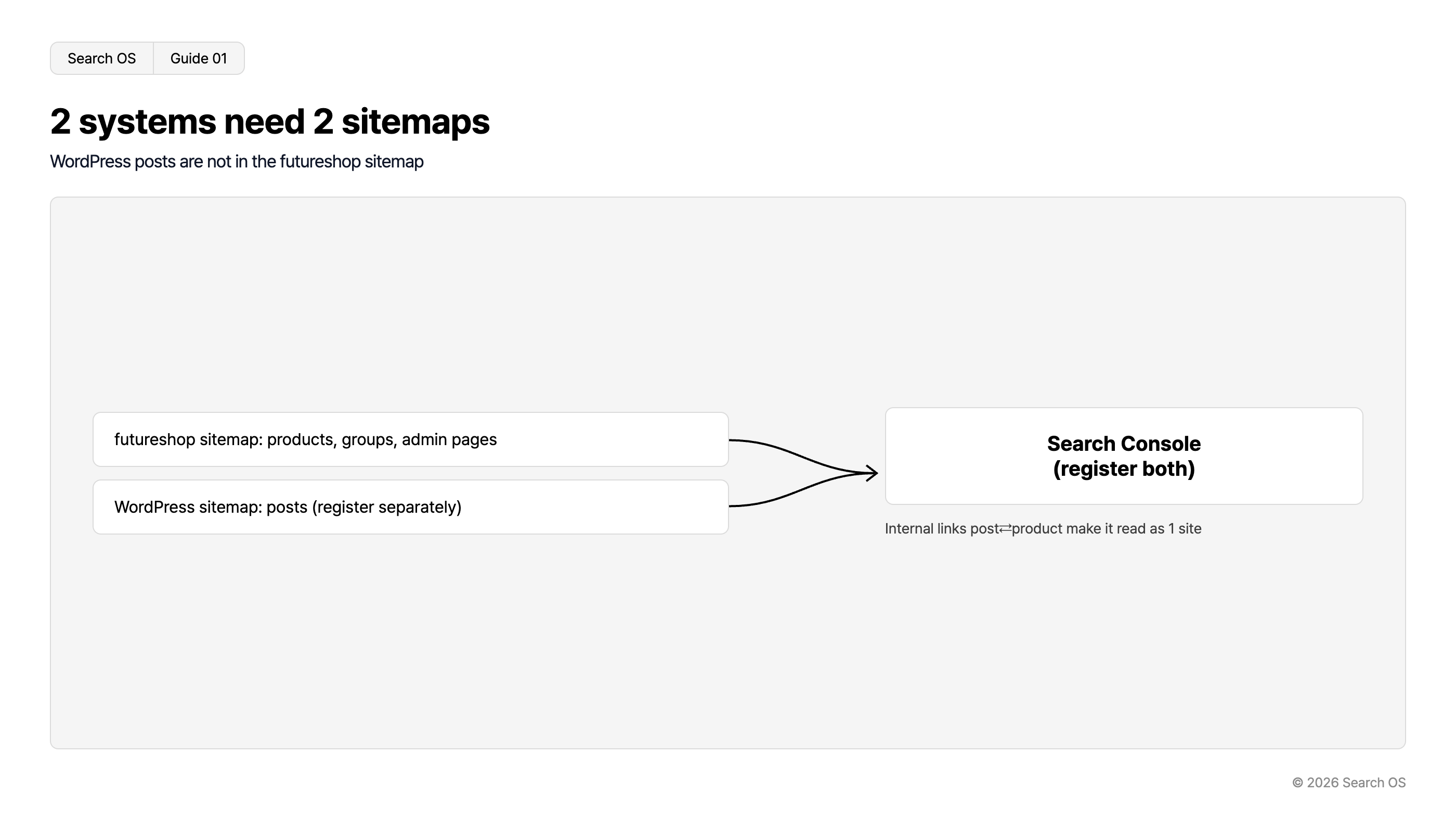
2 systems need 2 sitemaps
WordPress posts are not in the futureshop sitemap
| Source Sitemaps | Destination | Note |
|---|---|---|
| futureshop sitemap: products, groups, admin pages | Search Console (register both) | Internal links post⇄product make it read as 1 site |
| WordPress sitemap: posts (register separately) | Search Console (register both) | Internal links post⇄product make it read as 1 site |
© 2026 Search OS
Key idea: A sitemap knows only what its own system created. futureshop knows the pages made in futureshop; WordPress knows the posts made in WordPress. A site built with two systems needs two sitemaps.
Steps 1 to 2: Confirm what's missing
Open the contents of futureshop's sitemap and look at the list of URLs. You should see products, groups, and pages created in the admin panel. If blog post URLs aren't there, the gap is confirmed.
The WordPress sitemap comes either from WordPress core (usually /wp-sitemap.xml) or from an SEO plugin. Check the WordPress settings to see which is active. If both are active they duplicate each other, so keep just one.
Step 3: Register in Search Console
WordPress location | Search Console property | Registration |
|---|---|---|
Subdirectory on the same domain as the shop (/blog/) | Same property as the shop | Add the WordPress sitemap to the same property |
Subdomain (blog.example.jp) | Same if it's a Domain property; separate if it's a URL-prefix property | Unify on a Domain property and add the sitemap |
Separate domain | Separate property | Register under the separate property |
Navigation
- Search OS
- Guide 02
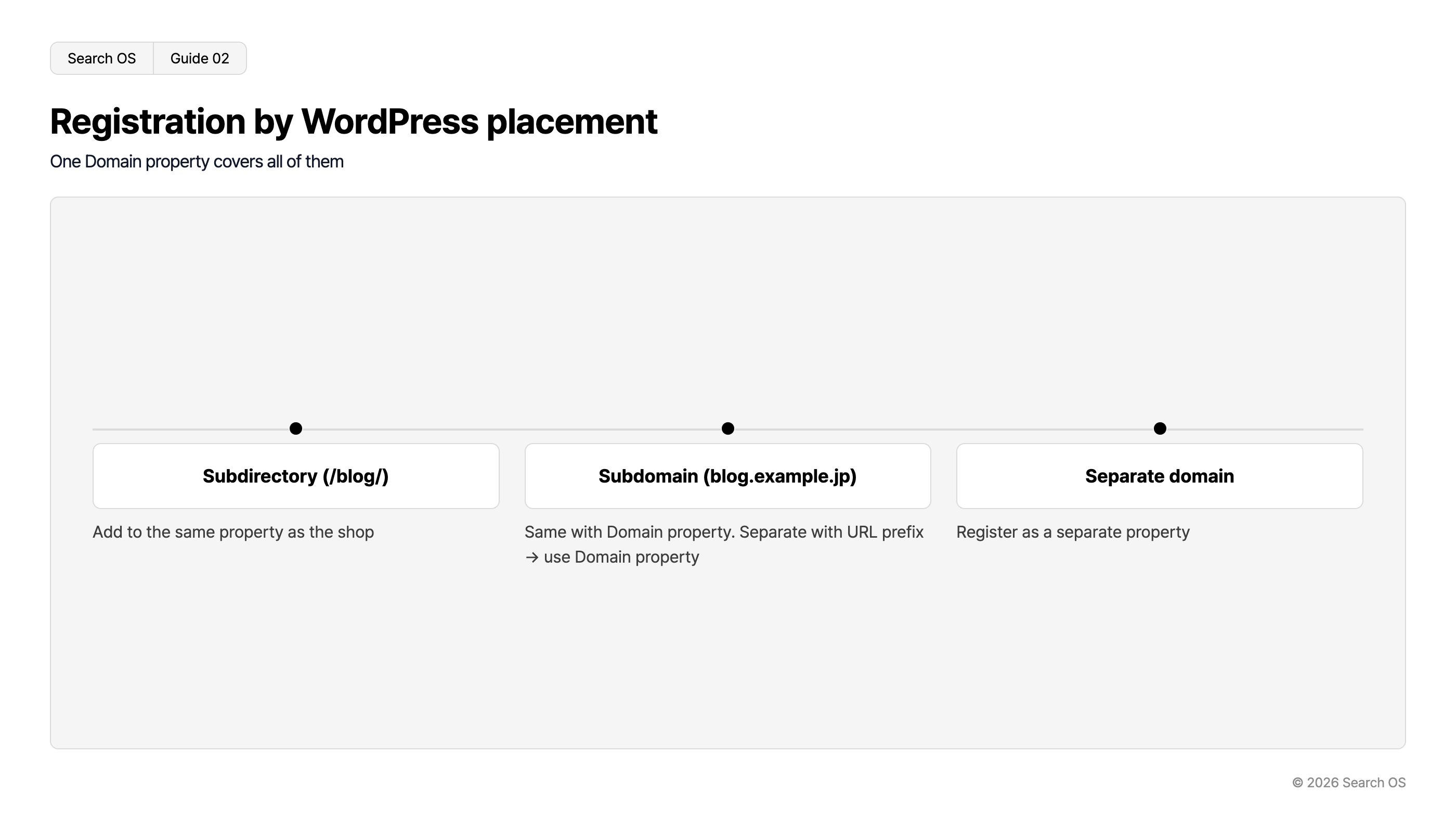
Registration by WordPress placement
One Domain property covers all of them
| Placement Type | Description |
|---|---|
| Subdirectory (/blog/) | Add to the same property as the shop |
| Subdomain (blog.example.jp) | Same with Domain property. Separate with URL prefix → use Domain property |
| Separate domain | Register as a separate property |
© 2026 Search OS
A Domain property registers the whole domain at once through DNS verification. With this type, subdomains are managed under one property, and adding the sitemap is all that's needed. Check in Search Console which type your property is.
Step 4: Make it one site with internal links
A sitemap only helps discovery. It doesn't convey the relationship between posts and products. Internal links do that.
Link from the relevant passage in the post body to product and group pages
Link from the end of the product description to related posts
Put an entry point such as "Articles" in the shop's header and footer, leading to the post list
Share the shop's header and footer on the post side so readers can get back to the shop
Without a path from posts to the shop, search engines may treat the posts and the shop as separate things. Starting with recent posts, add links to related product pages.
Step 5: Technical requirements on the post side
Item | Check |
|---|---|
canonical | Each post points to itself; no duplication with the shop side |
Article structured data | Headline, publish date, modified date, and author are output |
Organization | Only on the shop's top page; don't output a separate Organization on the post side |
title and description | Unique for each post |
noindex | If there are many tag and archive pages in the post list, noindex the thin ones |
WordPress tag pages and date archives are thin while the post count is small. If indexed, they add to "Crawled - currently not indexed". Check the setting that puts tag and date archives on noindex.
What to maintain after registering
Registering the sitemap makes posts easier to discover. But the futureshop side and the WordPress side are two systems, each with its own updates and specification changes. Broken internal links, canonical drift, and changes in structured data happen separately. Keeping the two systems as one site is a bigger job than the registration itself.
Search OS supports sites built from several systems, such as futureshop and WordPress. It provides metadata, structured data, sitemaps, and canonical for search engines and AI crawlers together, as a separate layer. Bot logs confirm whether both systems are being fetched. Broken internal links and duplicates are compiled as fix candidates.
Frequently asked questions
Does registering the sitemap get posts indexed right away?
Discovery gets faster, but indexing depends on the content. Thin posts and posts that duplicate others may not be indexed.
Can I add posts to futureshop's sitemap by hand?
Assume the auto-generated sitemap can't be edited. Registering the WordPress sitemap separately is the surer route.
Does the blog's post list page need to be in the sitemap too?
The WordPress sitemap normally includes it. Setting tag and date archives to be excluded keeps thin pages from being registered.
Related reading
What Structured Data futureshop Outputs Automatically, and What to Add for AI Search
makeshop and WordPress: Put the Blog on a Separate Domain or Under the Shop
Sitemap Operations for Large Sites: lastmod, Splitting, and Submission
References
Google Search Central: Build and submit a sitemap
Google Search Central: Sitemaps report
Google Search Central: Article structured data