Shopify Cross-Border hreflang and Japanese/English Pages
Navigation
- Search OS
- Shopify
Shopify Cross-Border hreflang and Japanese/English Pages
- Category
- Guides
- Read Time
- 6 min read
- Topic
- Japan EC platform guides for search and AI search
When you build Japanese and English pages with Shopify Markets, the same product ends up with multiple language URLs. Without hreflang to tell search engines how the languages correspond, the Japanese page can appear in English-language searches, or the pages can be judged duplicates. This article covers what Shopify outputs automatically, how to choose a URL structure (subfolder, subdomain, or separate domain), and the problems caused by missing translations.
- Source URL
- searchos.io/en/blog
- Copyright
- © 2026 Search OS
After building English pages with Shopify Markets, English pages start showing up in Japanese search results, and "alternate pages" keep increasing in Search Console. This question comes from Shopify stores that have just started selling cross-border.
The first thing to check is the state of hreflang. hreflang is a tag that tells search engines which URL is the Japanese version of a page and which is the English version. Shopify Markets outputs it automatically in most cases. If some pages are missing translations, however, the automatic output alone won't be correct. The same applies when the number of region and language combinations grows. In some cases a theme or app outputs a separate hreflang of its own.
This article lays out what Shopify outputs automatically for hreflang and how to choose a URL structure. It also covers the problems caused by missing translations and how to check for them.
Conclusion: check the automatic output, close translation gaps, and default to subfolders for the URL structure
Item | Correct state |
|---|---|
hreflang output | The product page source lists both the Japanese and English URLs, marked |
x-default | One of the URLs (usually Japanese) carries the |
Reciprocal references | Both directions: Japanese page to English page, and English page to Japanese page |
canonical | Each language's page points to itself. The English page's canonical doesn't point to the Japanese page |
Translation gaps | No product descriptions left in Japanese on the English pages |
Navigation
- Search OS
- Guide 01
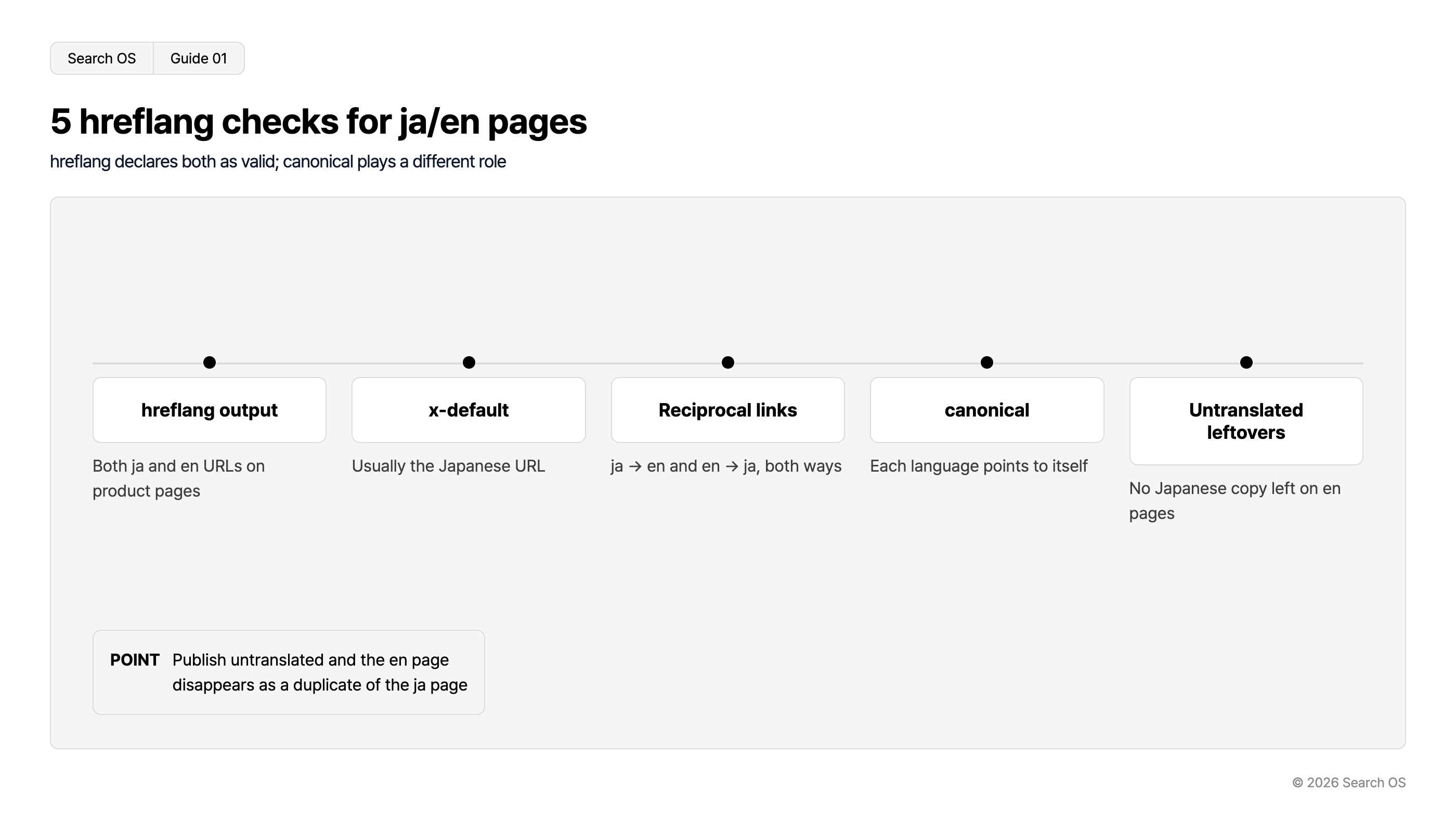
5 hreflang checks for ja/en pages
hreflang declares both as valid; canonical plays a different role
| Check Item | Description |
|---|---|
| hreflang output | Both ja and en URLs on product pages |
| x-default | Usually the Japanese URL |
| Reciprocal links | ja → en and en → ja, both ways |
| canonical | Each language points to itself |
| Untranslated leftovers | No Japanese copy left on en pages |
- POINT
- Publish untranslated and the en page disappears as a duplicate of the ja page
© 2026 Search OS
Key idea: hreflang doesn't declare which page is authoritative. It declares that both are authoritative and should be served in the reader's language. Its role is different from canonical. Confuse the two and the English page disappears as a duplicate of the Japanese page. Check the five items in the table above on a single product page.
What Shopify outputs automatically
When you add a language in Shopify Markets, and the theme supports it, an hreflang for each language appears in the head of every page. Check in this order.
Open the product page source and search for
hreflangin the headConfirm URLs appear for every language you added
x-defaultis present (check for it)Do the same check in the English page source (reciprocal references)
If nothing appears, the theme may be outdated. In some themes, the hreflang output has been removed from the head. Search for hreflang in the source of both the Japanese and the English product page.
Choosing a URL structure
Structure | Example | Assessment |
|---|---|---|
Subfolder | example.jp/en/products/... | Recommended. Signals pool on one domain. The Markets default. Easiest to operate |
Subdomain | en.example.jp | Acceptable if you have a reason to separate. Setup is somewhat complex |
Separate domain | example.com (English) / example.jp (Japanese) | Only with a country-specific brand strategy. Signals are split |
When you are just starting cross-border, choose subfolders. Separate domains per country can wait until each country has a dedicated operations team. Check that your English page URLs take the form example.jp/en/.
Problems caused by missing translations
Shopify translation works field by field. If the product name is translated but the description isn't, the English page shows the Japanese description as is.
State | How search engines judge it |
|---|---|
Most of the English page body is in Japanese | Not treated as an English page. Contradicts hreflang, and hreflang may be ignored |
Meta description untranslated | Japanese description appears in English-language search results |
Static pages (shipping, returns) untranslated | Can't answer pre-purchase questions from English-speaking markets. AI search doesn't cite them |
Navigation
- Search OS
- Guide 02
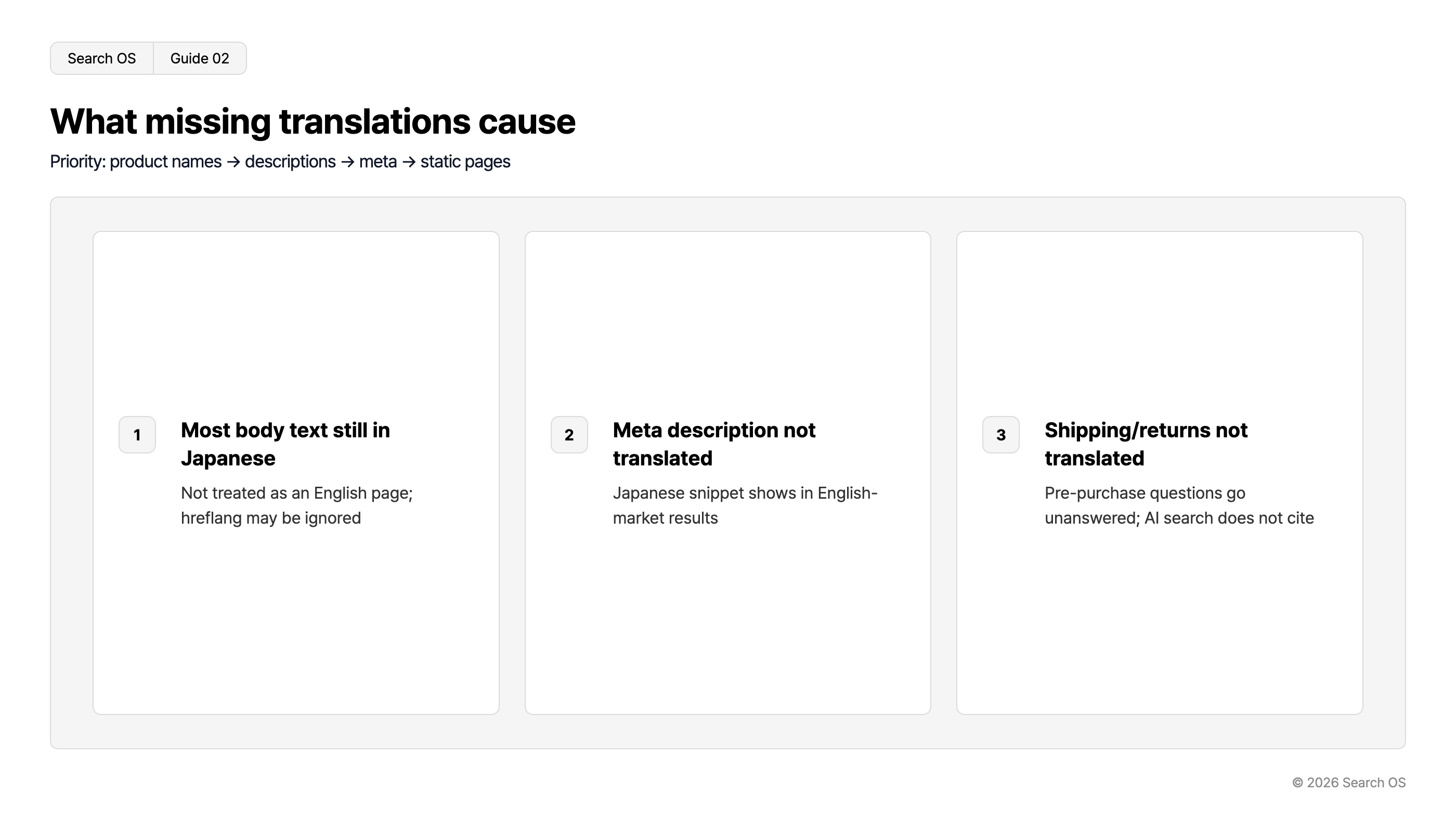
What missing translations cause
Priority: product names → descriptions → meta → static pages
| index | issue | consequence |
|---|---|---|
| 1 | Most body text still in Japanese | Not treated as an English page; hreflang may be ignored |
| 2 | Meta description not translated | Japanese snippet shows in English-market results |
| 3 | Shipping/returns not translated | Pre-purchase questions go unanswered; AI search does not cite |
© 2026 Search OS
The translation priority is product name, then product description, meta description, collection descriptions, and finally static pages (shipping, returns, about). Static pages tend to get pushed back, but they are what answer the pre-purchase questions in cross-border selling: shipping cost, customs duties, returns. Open your English shipping and returns pages and check that no Japanese remains.
Region and language combinations
Sometimes one language serves multiple regions, such as English for the United States and English for Singapore. The basic practice is to output hreflang with a region, as in en-US en-SG. Decide whether your Markets settings split URLs by region, or whether you consolidate into a single language-only en. Split them if prices or shipping differ by region. If they are the same, a single entry is fine. Write down first whether prices or shipping differ by region.
What to keep watching after going cross-border
Every time you add a language or a product, translation gaps and hreflang consistency drift. A theme update can change the hreflang output. If the Japanese and English product counts differ, some products end up with a one-way reference.
Search OS continuously verifies hreflang, canonical, translation gaps, and metadata consistency for multilingual stores, including those on Shopify. It finds one-way references and pages published untranslated. Mismatches in the language pages bots are fetching are also organized as fix targets. It doesn't replace translation work. It is the layer that keeps watching whether what you translated is correctly mapped for search engines. On the day you add a product, check that the English page's hreflang appears in both directions.
Frequently asked questions
Will creating English pages lower the ranking of my Japanese pages?
Not if hreflang is output correctly. Rankings drop when an untranslated English page is judged to be a duplicate of the Japanese page.
Which language should x-default be?
The usual choice is the language of your main market. For a Japanese business, that is Japanese. It is the page shown to visitors whose language can't be determined.
What if both my translation app and Shopify's standard hreflang are being output?
That is double output. Narrow it to one. Usually you keep Shopify's standard output and disable the app's.
Related reading
How to Convey Hierarchy with Shopify's Fixed URL Structure (/products/, /collections/)
How Too Many Shopify Apps Hurt Speed, Search, and AI Citations, and How to Cut Back
References
Google Search Central: Tell Google about localized versions of your page
Google Search Central: Managing multi-regional and multilingual sites
Shopify Help Center: Selling in multiple languages