Japanese ASP Cart to Shopify: Carrying Over URLs and Structured Data
Navigation
- Search OS
- Shopify
Japanese ASP Cart to Shopify
Carrying Over URLs and Structured Data
- Category
- Guides
- Read Time
- 6 min read
- Topic
- Japan EC platform guides for search and AI search
Migrating to Shopify from makeshop, Color Me Shop, futureshop, or similar always changes the shape of your URLs. To avoid losing search performance in the move, this article walks through the URL mapping table, redirect design, carrying over structured data, and the metrics to watch before and after, in the order of the migration timeline.
- Source
- searchos.io/en/blog
- Copyright
- © 2026 Search OS
A store that migrated from Color Me Shop to Shopify reports that search traffic halved one month later.
The most common cause is incomplete redirects from old URLs to new ones. Product URLs on Japanese ASP carts and on Shopify look completely different. The signals accumulated on old URLs don't carry over to new URLs without redirects. The old URLs return 404 and disappear from search results. The next most common cause is structured data and metadata being lost in the migration. Structured data is a description of a page's content written in a form machines can read. In this case, rich results and citations disappear.
This article follows the migration timeline: how to build the URL mapping table, how to design redirects, how to carry over structured data, and which metrics to check before and after.
Conclusion: build the URL mapping table before migration, add redirects on migration day, and confirm with metrics afterward
When | What to do |
|---|---|
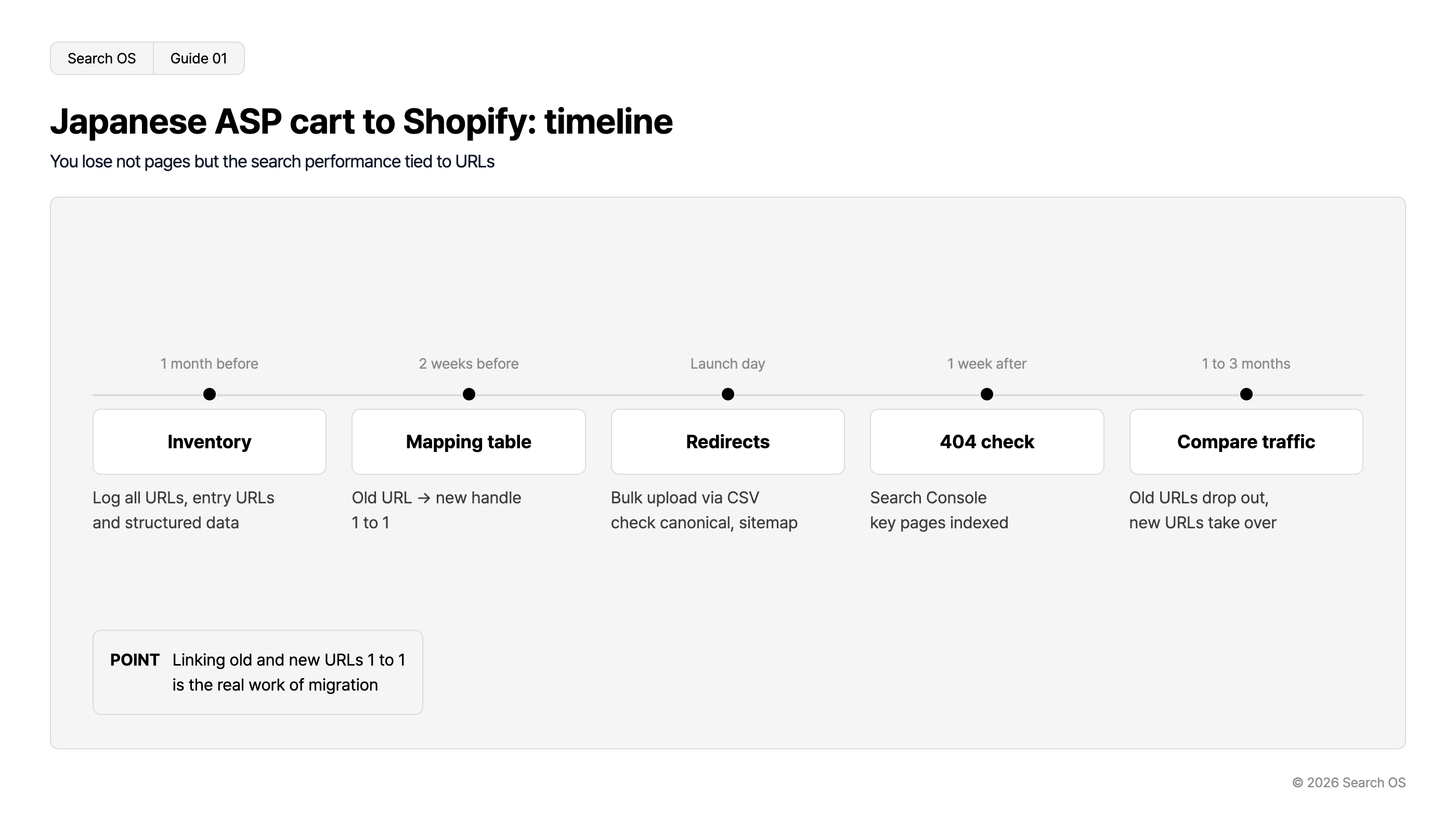
One month before migration | Export the full URL list of the old site. Identify URLs with search traffic. Record structured data and metadata |
Two weeks before migration | Decide the new URL handles and build the old-to-new URL mapping table |
Migration day | Register redirects in bulk. Check canonical, structured data, and sitemap |
One week after migration | Check crawl errors and 404s in Search Console. Confirm main pages are indexed |
One to three months after migration | Compare search traffic and rankings with the old site. Confirm old URLs have dropped out of the index and been replaced by new ones |
Navigation
- Search OS
- Guide 01
Japanese ASP cart to Shopify: timeline
You lose not pages but the search performance tied to URLs
| Timeline | Phase | Description |
|---|---|---|
| 1 month before | Inventory | Log all URLs, entry URLs and structured data |
| 2 weeks before | Mapping table | Old URL → new handle 1 to 1 |
| Launch day | Redirects | Bulk upload via CSV check canonical, sitemap |
| 1 week after | 404 check | Search Console key pages indexed |
| 1 to 3 months | Compare traffic | Old URLs drop out, new URLs take over |
- POINT
- Linking old and new URLs 1 to 1 is the real work of migration
© 2026 Search OS
Key idea: What a migration loses isn't pages. It's the signals accumulated on the URLs. Rebuilding the pages alone doesn't bring them back. Connecting old URLs to new URLs one to one is the core of the migration.
Before migration: inventory the old site
What to collect | How |
|---|---|
Full URL list | From the old site's sitemap or a crawler tool |
URLs with search traffic | Export URLs with clicks in the past 12 months from Search Console's search performance report |
URLs with backlinks | Search Console links report |
title and description of each page | From a crawler tool |
Structured data types | Run main pages through the Rich Results Test |
URLs with search traffic or backlinks have the highest redirect priority. A product page featured on a blog is one example. Redirecting every URL is the ideal, but if there are too many, prioritize these two groups.
How to build the URL mapping table
URL formats differ by source platform. First confirm which format your store uses.
Source platform | Typical old URL | New Shopify URL |
|---|---|---|
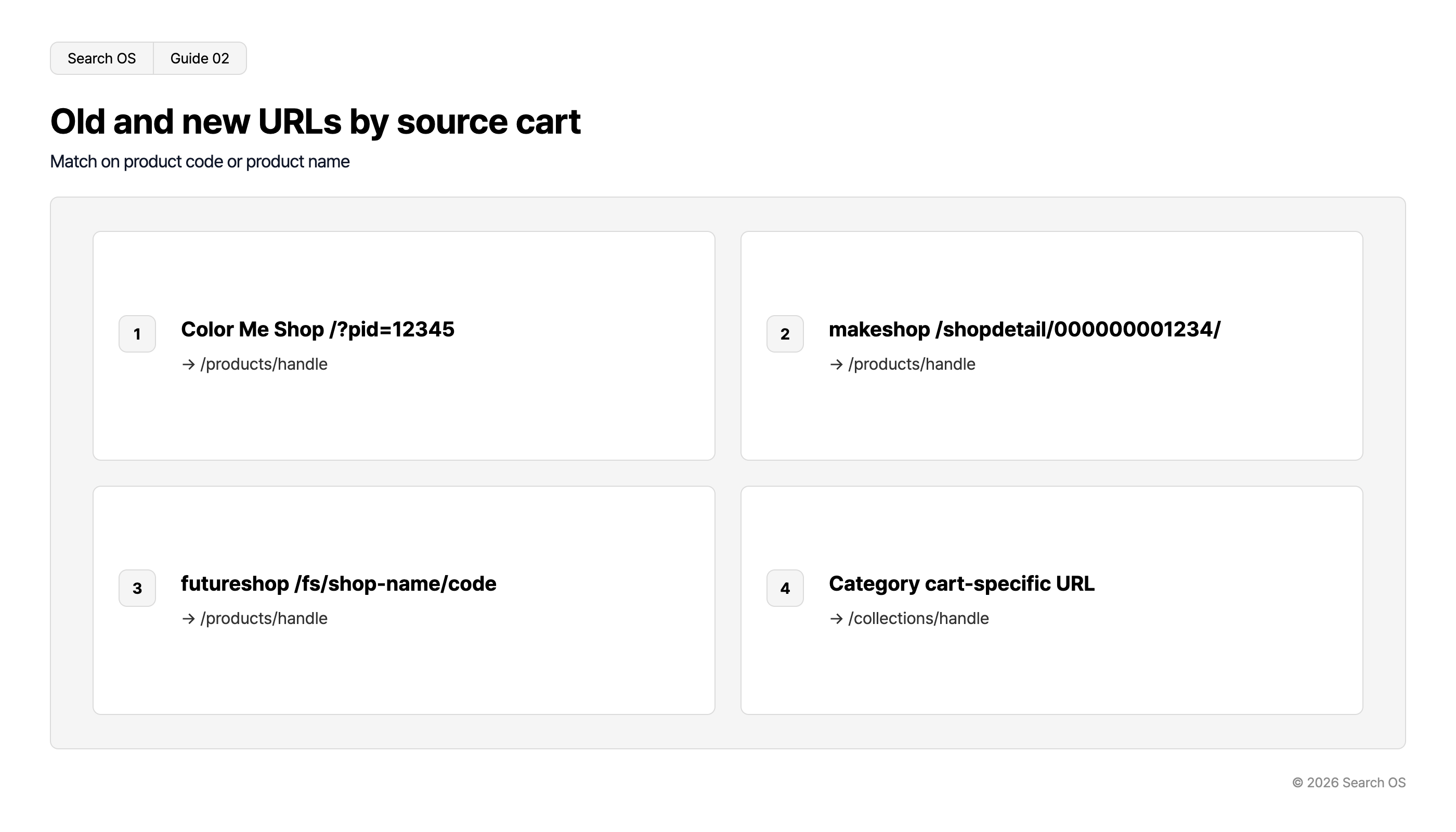
Color Me Shop | Parameter format such as /?pid=12345 | /products/handle |
makeshop | ID format such as /shopdetail/000000001234/ | /products/handle |
futureshop | Format such as /fs/shop-name/product-code | /products/handle |
Categories | Each ASP's category URL | /collections/handle |
Navigation
- Search OS
- Guide 02
Old and new URLs by source cart
Match on product code or product name
| Index | Source Cart & Old URL Pattern | New URL Pattern |
|---|---|---|
| 1 | Color Me Shop /?pid=12345 | → /products/handle |
| 2 | makeshop /shopdetail/000000001234/ | → /products/handle |
| 3 | futureshop /fs/shop-name/code | → /products/handle |
| 4 | Category cart-specific URL | → /collections/handle |
© 2026 Search OS
Confirm the actual URL format of your source platform on your own store. Build the mapping table with two columns: old URL, new URL. Match them mechanically using the product code or product name as the key.
The handle is the product-name part that follows /products/. If the old URL contains a meaningful string, reuse it. If the old URL is only an ID, create a new handle from an alphanumeric form of the product name.
Migration day: registering redirects
Register the mapping table in bulk as a CSV through Shopify's "URL redirects" feature.
Specify old URLs as paths without the domain (including parameters)
Point each old URL to exactly one new URL. Don't create chained redirects (old to intermediate to new)
Don't forget categories to collections and static pages to /pages/
If you keep the old site's domain, the redirects take effect at the same time as the DNS switch
If the domain changes, set up redirects from the old domain separately
After registering, open about 10 entries from the mapping table and confirm they redirect correctly.
Carrying over structured data and metadata
Item | Migration notes |
|---|---|
title and description | Enter the old site's values in each Shopify product's "Search engine listing". Left empty, they are auto-generated |
Product structured data | Output by Shopify themes by default. Check that attributes the old site output (brand, part number) are present |
BreadcrumbList | Output by theme or app. If the old site had it, output it after migration too |
Organization | Homepage only. Via theme or app |
Image alt | Product image alt text is easily lost in migration. Include it in the CSV import |
After migration, run main pages through the Rich Results Test and confirm the same types are detected as before.
After migration: metrics to check
When | Metric | Healthy state |
|---|---|---|
One week later | Search Console "Not found (404)" | Almost no 404s on old URLs. If there are, redirects are missing |
One week later | URL inspection of main pages | New URLs indexed |
One month later | "Redirect error" in the pages report | Zero. If any, chained redirects |
One to three months later | Clicks in search performance | Back to pre-migration levels. If not, recheck the mapping table for gaps |
A temporary drop in traffic is normal. If it hasn't recovered after three months, suspect missing redirects, leftover noindex, or incorrect canonicals.
What to keep watching after the migration is done
Even after migration, missing redirects turn up later. If links from old magazine articles remain, 404s on old URLs keep occurring. A theme update can also change the structured data output.
Search OS continuously checks 404s, redirect chains, canonical, and structured data on migrated stores, including Shopify. It organizes the mapping between old and new URLs that bots fetch, and metadata lost in the migration, as fix targets. It doesn't replace the migration work. It is the layer that keeps finding the holes overlooked after migration.
Frequently asked questions
When can I shut down the old site?
Once the redirects are live, the old site's pages are no longer needed. To keep the redirects from the old domain working, however, keep the domain registration for at least one year.
Redirecting every product is a lot of work. Can I skip some?
Don't skip URLs with search traffic or backlinks. For the rest, the impact of old URLs returning 404 is small.
I want to clean up my URLs during the migration. Do they have to map one to one?
Merging (multiple old URLs to one new URL) is fine. Splitting (one old URL to multiple new URLs) isn't possible. If you want to split, point to the single closest match.
Related reading
How to Convey Hierarchy with Shopify's Fixed URL Structure (/products/, /collections/)
Is Color Me Shop Weak at SEO: The Facts and the Limits of Countermeasures
How to Design URLs and Redirects for a Large-Scale ecbeing Renewal
References
Google Search Central: Site moves with URL changes
Google Search Central: Redirects and Google Search
Shopify Help Center: Redirecting URLs
Shopify Help Center: Migrating to Shopify