Do STORES Reservations Pages Show Up in Search
Navigation
- Search OS
- STORES
Do STORES Reservations Pages Show Up in Search
| Category | Read Time | Topic | Source |
|---|---|---|---|
| Insights | 5 min read | Japan EC platform guides for search and AI search | Search OS |
Many shops want to use a reservation page built with STORES Reservations to attract customers from search. A reservation page, though, is a place to book. It holds little that lets search engines or AI understand what kind of business this is. This article lays out what a reservation page can and can't do, and where to put information if you want to attract customers through search.
- URL
- searchos.io/en/blog
- Copyright
- © 2026 Search OS
After building a lesson reservation page with STORES Reservations, some shops ask whether new customers would come if this reservation page showed up in search.
Whether it shows up depends on the indexing settings. Even if it does, though, it's a weak page as an entry point for attracting customers. A reservation page is where you pick a date and time and book. It carries almost nothing that lets search engines or AI understand what this classroom teaches, who it's for, and where it is. To attract customers through search, prepare a separate page that holds that material and lead from there to the reservation page.
This article lays out what a reservation page can and can't do, and where to put the information that attracts customers through search.
Conclusion: The reservation page is the exit, not the entrance. Build the entrance separately
Page | Role | How search engines and AI see it |
|---|---|---|
Reservation page (STORES Reservations) | Pick a date and time, complete the booking | Mostly calendar and form, thin on descriptive text |
Information page (services, prices, location, who it's for) | Conveys what the business does | Material for search and AI to understand and cite |
Online store (STORES merchandise) | Sells products | Understood as product information |
Navigation
- Search OS
- Guide 01
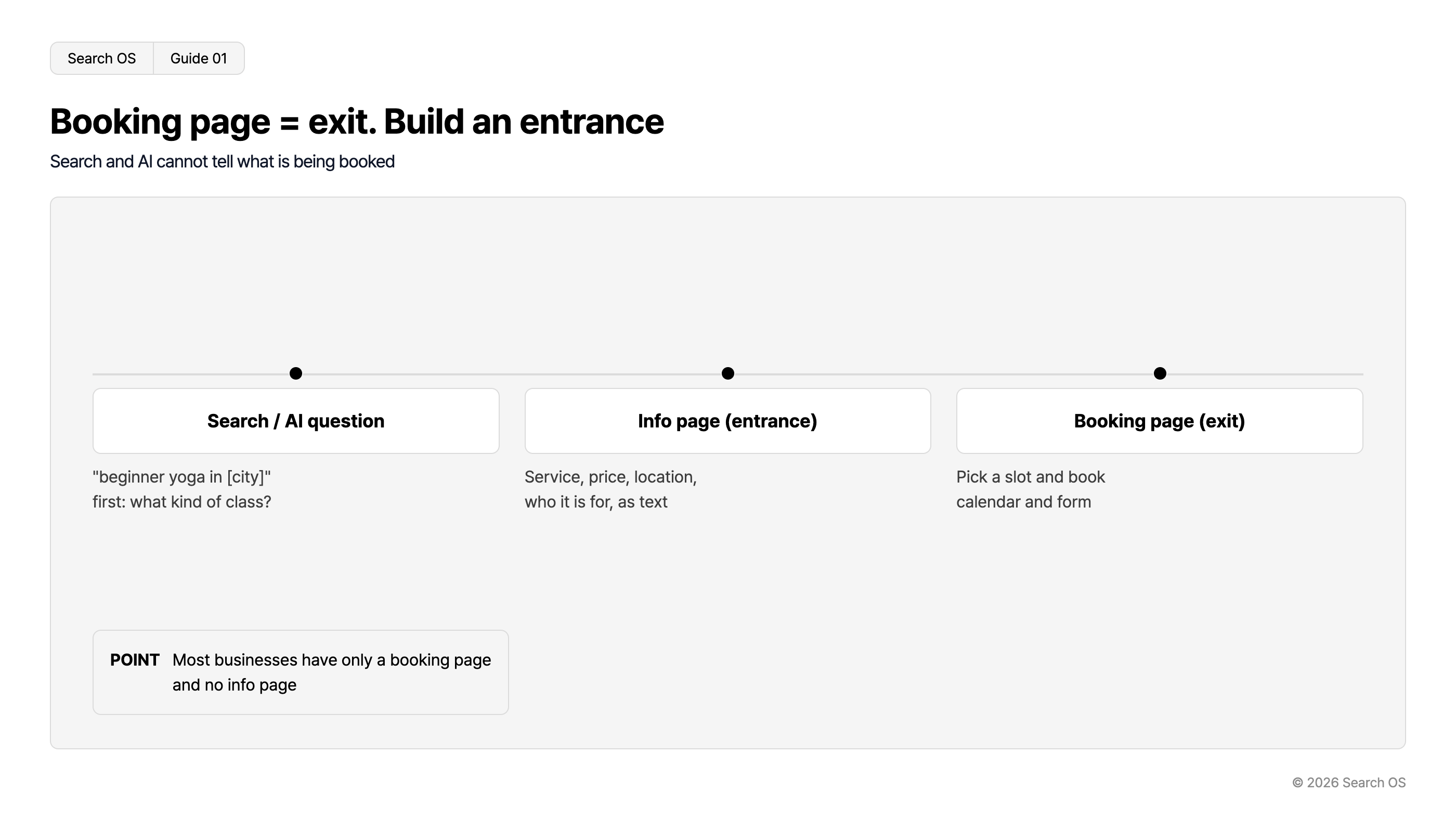
Booking page = exit. Build an entrance
Search and AI cannot tell what is being booked
| Stage | Description |
|---|---|
| Search / AI question | "beginner yoga in [city]" first: what kind of class? |
| Info page (entrance) | Service, price, location, who it is for, as text |
| Booking page (exit) | Pick a slot and book calendar and form |
- POINT
- Most businesses have only a booking page and no info page
© 2026 Search OS
Many shops have only a reservation page and no information page. Then all search and AI can tell is that a reservation form exists. What the reservation is for doesn't come across.
Key idea: People search for "yoga beginners" plus their city and first try to learn what kind of classroom it is. Booking is the action that comes after knowing. The search entrance needs a page for knowing.
Why reservation pages are weak in search
Little text. It's mostly the calendar, menu names, prices, and the form. The description of the classroom's character, audience, and location is thin.
Many pages share the same structure. STORES Reservations pages use the same template as every other business. From a search engine's view, they're hard to tell apart.
The operator often can't change the indexing settings. Whether the reservation page is indexable depends on the platform's specification.
A structure for attracting customers through search
Order | What to build | Content |
|---|---|---|
1 | Information page | Services, audience, price range, location, instructor or staff, frequently asked questions |
2 | Google Business Profile | Store information, reservation link, link to the information page |
3 | Path to the reservation page | Links from the information page and Business Profile to the reservation page |
4 | Path back from the reservation page | A link to the information page in the reservation page's description field |
Navigation
- Search OS
- Guide 02
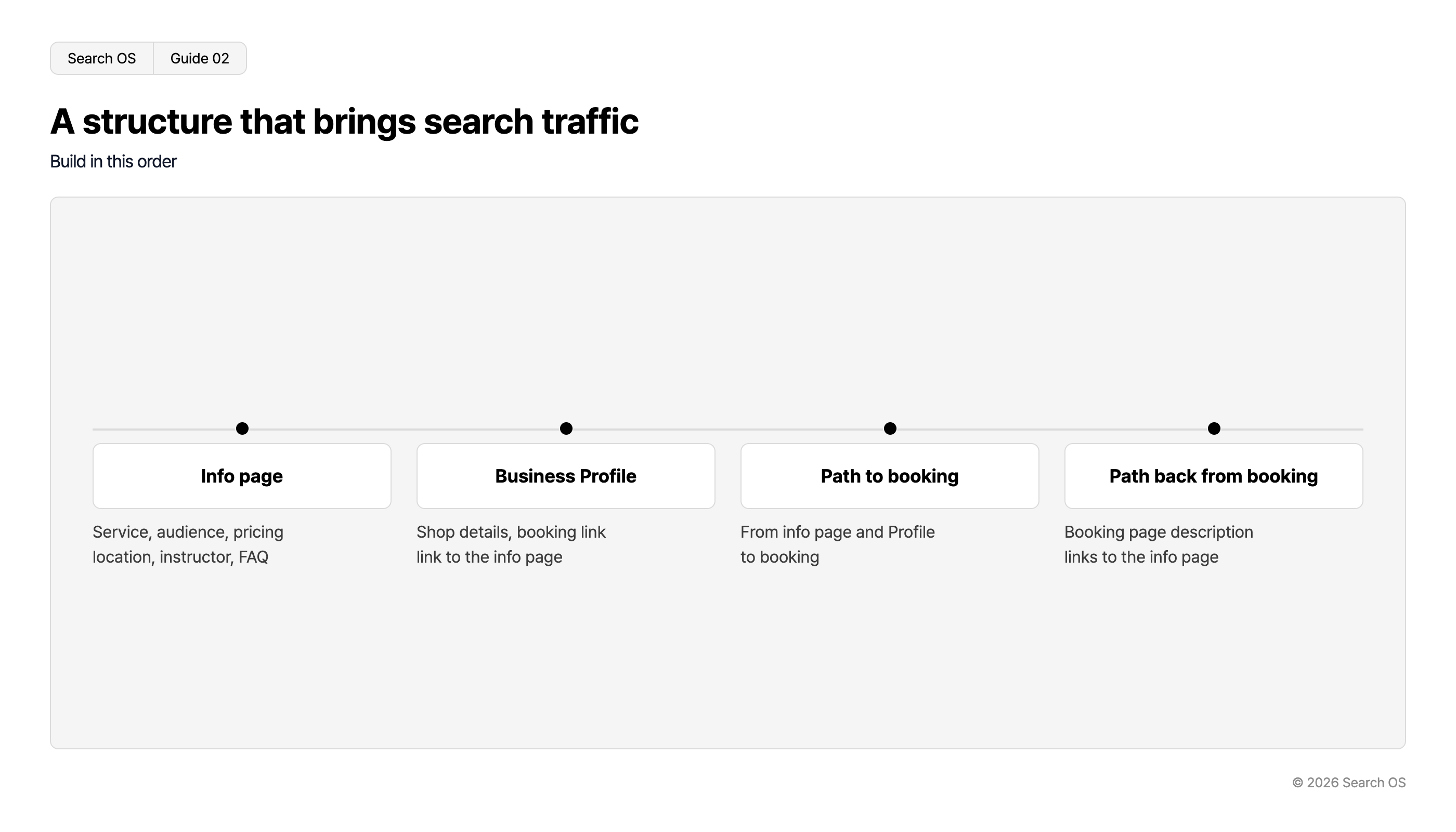
A structure that brings search traffic
Build in this order
| Step | Details |
|---|---|
| Info page | Service, audience, pricing location, instructor, FAQ |
| Business Profile | Shop details, booking link link to the info page |
| Path to booking | From info page and Profile to booking |
| Path back from booking | Booking page description links to the info page |
© 2026 Search OS
The information page can live on a static page of your STORES online store. A separate homepage works too. If the reservation page's description field accepts text, put 2 to 3 sentences there on what the business does, along with a link to the information page.
What to write on the information page
What the business does. State it clearly in the first sentence. "A yoga classroom for beginners. Once a week, small groups."
Who it's for. "People who aren't good at exercise, postpartum mothers, people in their 60s"
Location and how to get there. Address, nearest station, whether parking is available
Price range. Even if exact prices are on the reservation page, note the range on the information page
Frequently asked questions. 3 to 5 questions such as "Can I try a trial lesson", "What should I bring", and "What if I miss a class"
These are the materials AI search draws on when answering a question like "a beginner yoga classroom in my city". They're information the reservation page doesn't carry. Start by writing them out as bullet points.
How to check whether it appears in search
Run the reservation page URL through URL Inspection in Search Console and check whether it's indexed or carries noindex
Search the store name plus "reservation" and see which appears, the reservation page or the information page
Search the area name plus the service name and check whether the information page appears
Operation for businesses mixing reservations, merchandise, and a store
On STORES, one business often holds reservations, point of sale, and an online store. To a search engine, that's three separate entrances. Bundle them as the same business and concentrate performance on the information page. This structure isn't done once and finished; it comes apart each time a menu or a store is added.
Search OS doesn't change existing services such as STORES. It provides structure, metadata, and structured data that search engines and AI crawlers read easily, as a separate layer. It also continuously checks the consistency of the information page, store information, and reservation paths, along with bot fetch status. The idea isn't to change the reservation page, but to operate the entrance that sends people to it. It also checks regularly that the link from the information page to the reservation page is still live.
Frequently asked questions
Is it a problem if the reservation page carries noindex?
No. The reservation page is where people arrive from the information page. Not being indexed doesn't affect customer acquisition. What matters is that the information page is indexed.
Is a STORES static page enough for the information page?
If you can place text, headings, and links, it's enough. When text length is limited or you offer several services, consider a separate homepage.
Will putting keywords in the reservation page's menu names get it into search?
Menu names should be names people can read and understand. Keywords for search belong in the body of the information page.
Related reading
STORES shop not showing in search: settings problem or waiting for indexing
What keywords alone miss in AI search: a Query Fan-Out research guide
References
Google Search Central: Local business structured data
Google Business Profile Help: Add booking buttons to your Business Profile
Google Search Central: Creating helpful, reliable, people-first content