BASE: Adding Text to Image-Only Product Pages
BASE: Adding Text to Image-Only Product Pages
| Category | Read Time | Topic | Source |
|---|---|---|---|
| Tips | 5 min read | Japan EC platform guides for search and AI search | Search OS |
BASE product pages are built around photos. Descriptions are often short, or the text sits inside the images. Search engines and AI can't read text in images reliably, and a page without text doesn't get assessed. This article lays out a minimum text structure you can add in 10 minutes per product.
- URL
- searchos.io/en/blog
- Copyright
- © 2026 Search OS
Many BASE shops sell on the strength of their photos, and some run with almost no product descriptions written at all.
What happens is predictable. The shop appears when someone searches the shop name, but not when they search by use or product category. Neither search engines nor AI search can read text inside images reliably. However good the photos are, without text that says what you sell, the page is empty to a machine.
This article lays out a minimum text structure you can add in 10 minutes per product, and the order in which to work through your products.
Conclusion: Three to five sentences per product, covering use, material, size, and differences
Element | What to write | Example |
|---|---|---|
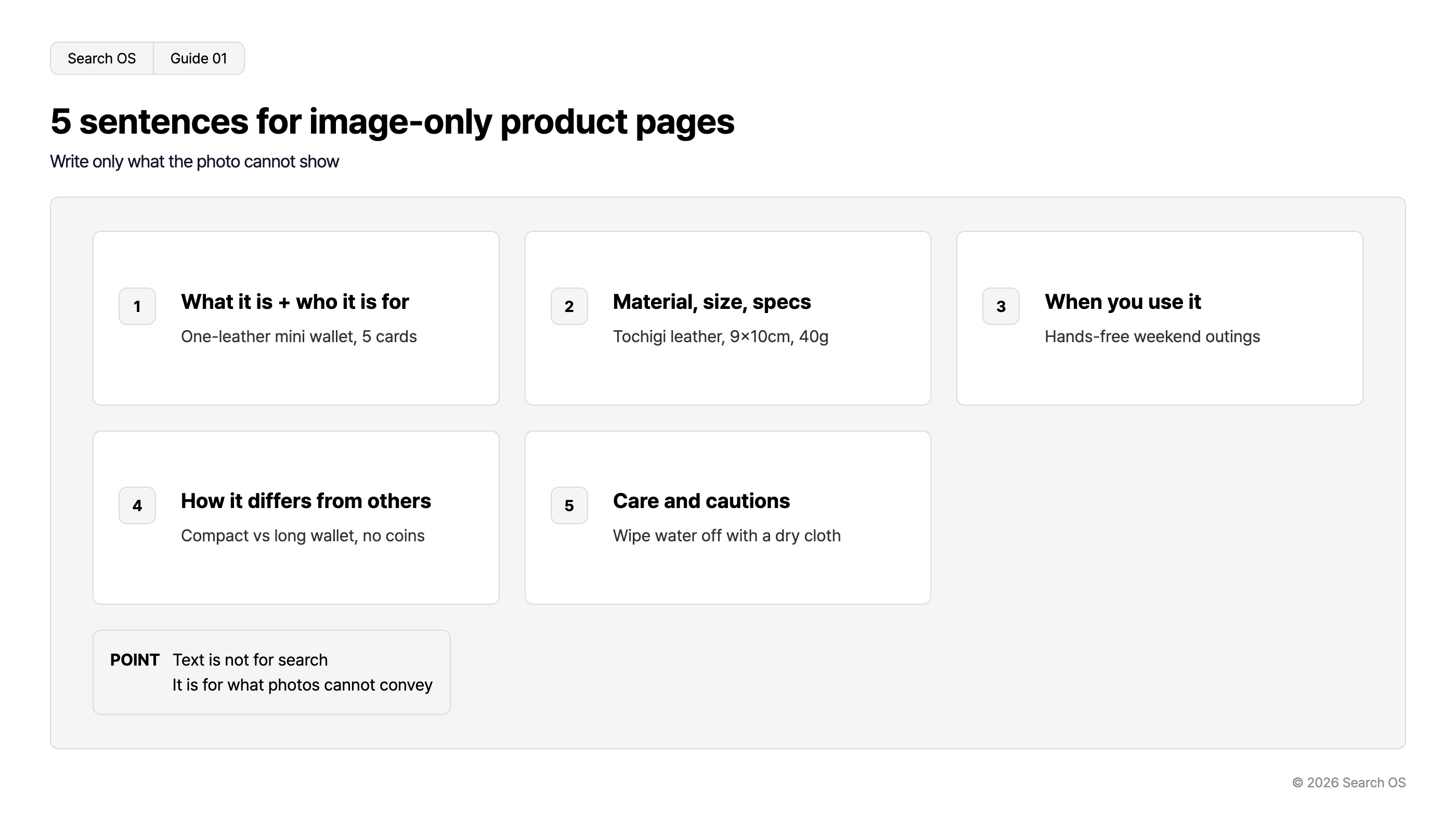
Sentence 1 | What it is + who it's for | "A single-piece leather mini wallet, for people who carry just five cards" |
Sentence 2 | Material, size, specs | "Tochigi leather, 9cm tall by 10cm wide, weighs 40g" |
Sentence 3 | When to use it | "For weekends when you slip it in a pocket and head out with nothing else" |
Sentence 4 | How it differs from other products | "Smaller than the long wallet in the same series, with no coin pocket" |
Sentence 5 | Care and cautions | "If it gets wet, wipe it down with a dry cloth" |
Navigation
- Search OS
- Guide 01
5 sentences for image-only product pages
Write only what the photo cannot show
| number | title | description |
|---|---|---|
| 1 | What it is + who it is for | One-leather mini wallet, 5 cards |
| 2 | Material, size, specs | Tochigi leather, 9×10cm, 40g |
| 3 | When you use it | Hands-free weekend outings |
| 4 | How it differs from others | Compact vs long wallet, no coins |
| 5 | Care and cautions | Wipe water off with a dry cloth |
- POINT
- Text is not for search. It is for what photos cannot convey
© 2026 Search OS
With these five sentences, search engines can classify the product. AI can also place it among its recommendations as "a [product] suited to [this kind of person]".
Key idea: Text isn't written for search. It's written to say what the photos can't. Material, size, and differences are what a buyer can't read from a picture. Write those down and search benefits as a result.
Why images alone aren't enough
Search engines can infer what's in an image to a point, but details like "this wallet is Tochigi leather and 9cm tall" can't be pulled from a picture. AI search is even more direct: it reads the page text and builds its answer from that. No text means nothing to cite.
In an experiment tracking 81 pages on a high-authority domain for 30 days, roughly four in ten pages were never cited by AI search at all. The dividing line wasn't quality but whether the page had machine-readable structure. Start by checking whether your main products have a sentence under the photo that says what the product is.
Priority: Not every product, just the top 10 first
Stage | Target | Work |
|---|---|---|
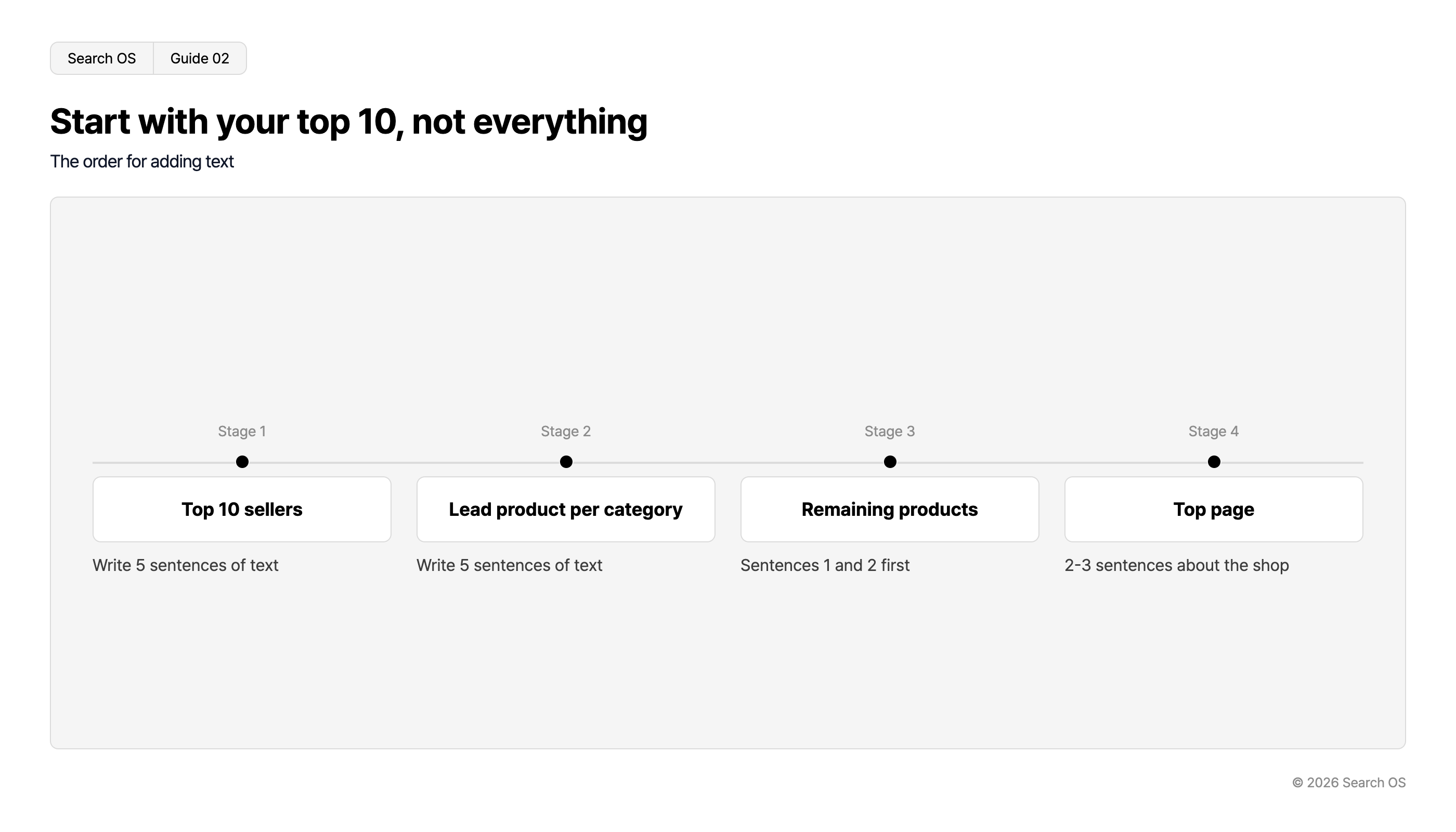
1 | Top 10 sellers | Write the five-sentence text |
2 | Representative product in each category | Write the five-sentence text |
3 | Remaining products | Write sentences 1 and 2 first |
4 | Top page | Add a 2 to 3 sentence shop introduction |
Navigation
- Search OS
- Guide 02
Start with your top 10, not everything
The order for adding text
| Stage | Focus | Action |
|---|---|---|
| Stage 1 | Top 10 sellers | Write 5 sentences of text |
| Stage 2 | Lead product per category | Write 5 sentences of text |
| Stage 3 | Remaining products | Sentences 1 and 2 first |
| Stage 4 | Top page | 2-3 sentences about the shop |
© 2026 Search OS
You don't need to rewrite every product at once. Confirming the effect on the top 10 and then expanding is easier to sustain. Start from the top seller and write the first product's description.
What to avoid when writing
Settling for text inside the image. Baking the product name or features into an image doesn't make them readable to a machine. Write them in the text field.
Pasting the same description on every product. Identical descriptions give nothing to tell the products apart.
Stringing keywords together. A list like "wallet leather genuine leather mini wallet small wallet" conveys nothing to people or AI. Write ordinary sentences.
Writing "in stock" or "sold out" inside the description. BASE displays stock status through its own feature. Put it in the description and it goes stale when the status changes, leaving a contradiction behind.
Where to check after writing
URL Inspection in Search Console shows how Google sees a page. Run "Test live URL" on a product page and check that the fetched HTML contains the description you wrote. If it does, the search engine side is ready.
Fetching by AI bots such as GPTBot and PerplexityBot is a separate matter, and Search Console doesn't show it. That gets checked in your server logs. Start by running your main product pages through URL Inspection.
Operations after adding text
Write the five sentences each time a product is added, and check now and then that no image-only products have slipped in. With a few dozen products, this works by hand. With a few hundred, just tracking which products lack text becomes a job in itself.
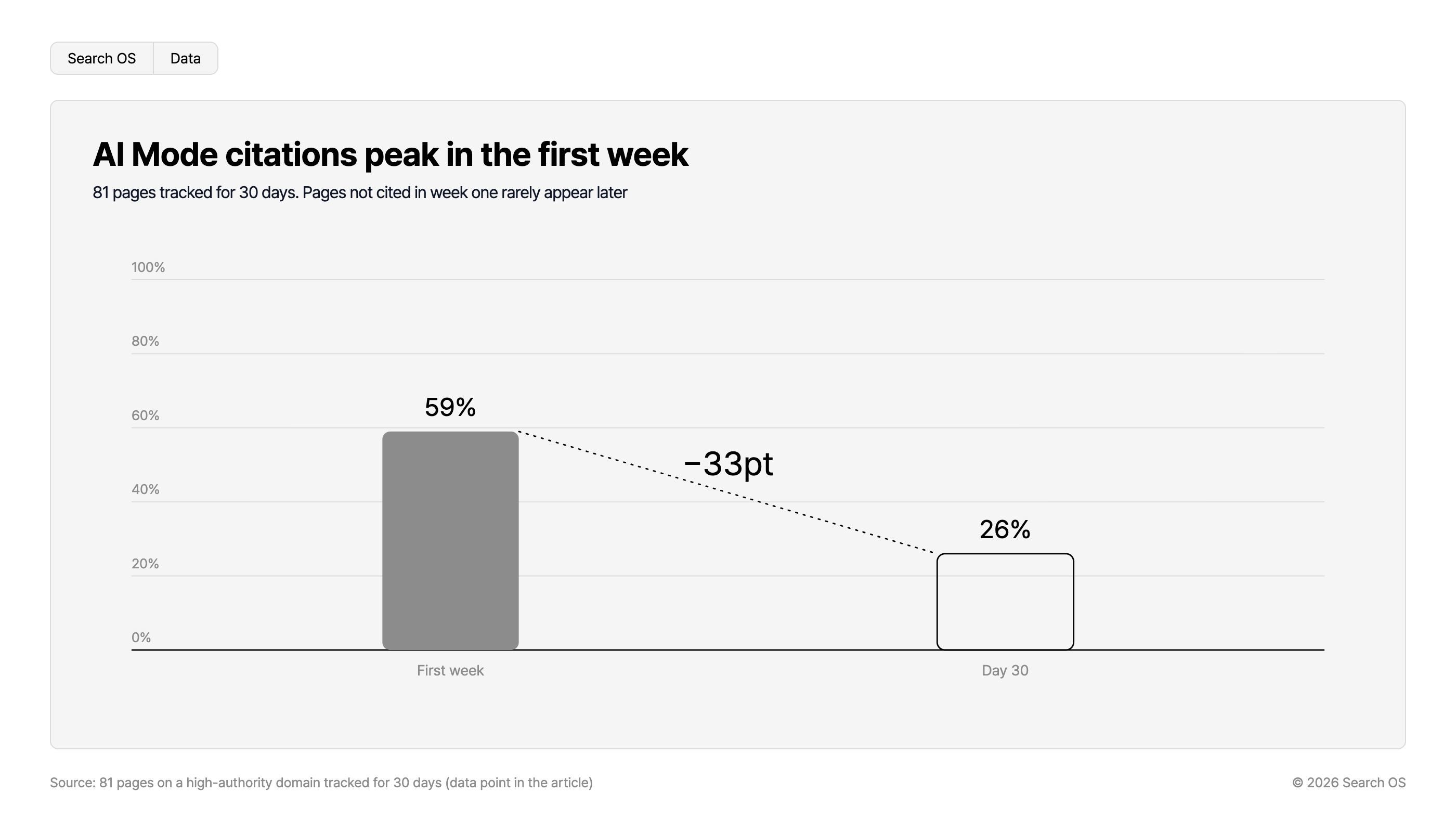
Data point: In an experiment tracking 81 pages on a high-authority domain for 30 days, Google AI Mode cited 59% of them in the first week, falling to 26% by day 30. Pages not cited in the first week were rarely cited afterward. Whether a page is readable in the first weeks after publication shapes what follows.
Navigation
- Search OS
- Data
AI Mode citations peak in the first week
81 pages tracked for 30 days. Pages not cited in week one rarely appear later
| Time Period | Citation Percentage |
|---|---|
| First week | 59% |
| Day 30 | 26% |
- Change
- -33pt
Source: 81 pages on a high-authority domain tracked for 30 days (data point in the article)
© 2026 Search OS
Search OS checks the state of existing shops, BASE included. Product text volume, structured data, and metadata are in scope. It sorts out pages with thin descriptions or with information only in images, and checks pages bots can't fetch, in priority order.
Frequently asked questions
Do I need to cut back on photos?
No, the photos can stay as they are. You only add text. Placing five sentences under the photos is the simplest way.
How long should the description be?
Five sentences, roughly 150 to 300 characters as a guide. Longer isn't better. The test is whether material, size, and differences are covered.
Should I put keywords in the product name?
Make the product name say what the product is. Something like "Mini wallet, Tochigi leather" is enough. Any further keywords go in the description.
Related reading
References
Google Search Central: Google Images SEO best practices
Google Search Central: Creating helpful, reliable, people-first content
Google Search Central: URL Inspection Tool