Adding Structured Data in Color Me Shop Templates
Navigation
- Search OS
- Color Me Shop
Adding Structured Data in Color Me Shop Templates
| Category | Read Time | Description | Source | URL | Copyright |
|---|---|---|---|---|---|
| Guides | 6 min read | Japan EC platform guides for search and AI search. Color Me Shop lets you edit HTML/CSS templates, so you can add structured data yourself. Duplicating what the platform already outputs by default backfires, though. This article covers checking the default output, which types are safe to add, how to fill values dynamically with template variables, and what not to do. | Search OS | searchos.io/en/blog | © 2026 Search OS |
Color Me Shop is unusual among Japanese hosted carts in that HTML/CSS editing is open. So a common question is whether it's fine to write JSON-LD on product pages yourself.
The short answer is that writing it is fine. Structured data is a notation that describes page content in a form machines can read. Because Color Me Shop opens up HTML/CSS editing, you can add structured data yourself. There is an order to follow, though. First confirm what is already output by default. Emitting the same type twice causes errors in validation tools and can hurt performance rather than help it.
This article covers checking the default output, which types are safe to add, how to fill values dynamically with template variables, and what not to do.
Conclusion: Check the default output, then add only the missing types dynamically with template variables
Step | What to do | Tool |
|---|---|---|
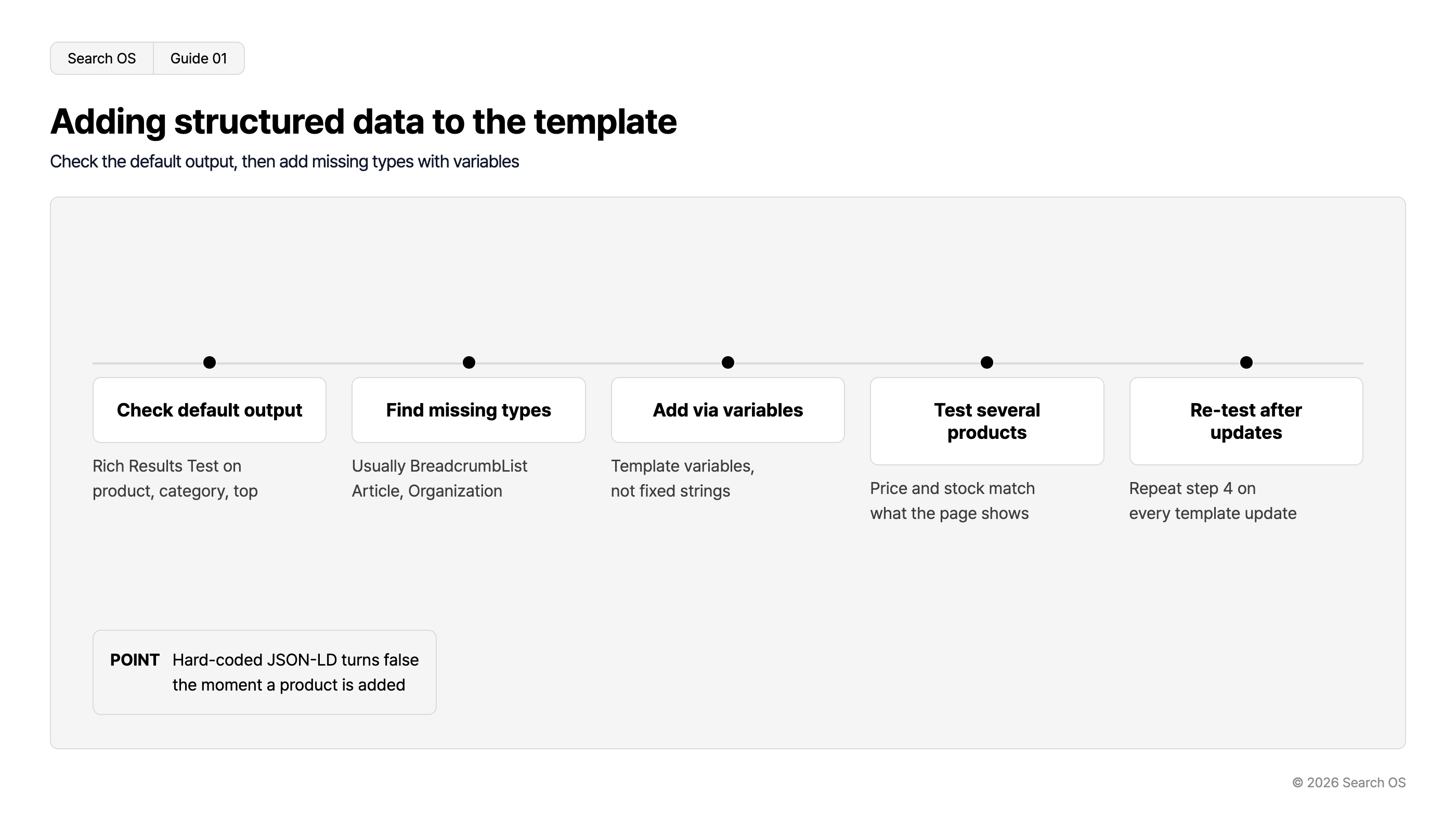
1 | Check the structured data currently output on three URL types: product, category, and top page | Rich Results Test |
2 | Identify the missing types (often BreadcrumbList, Article, Organization) | Results from step 1 |
3 | Add JSON-LD to the template. Fill values with template variables, not fixed strings | Template editor |
4 | Re-validate on several product pages. Confirm price and stock match the screen | Rich Results Test |
5 | Repeat step 4 every time the template is updated | Operations |
Navigation
- Search OS
- Guide 01
Adding structured data to the template
Check the default output, then add missing types with variables
| Step Title | Description |
|---|---|
| Check default output | Rich Results Test on product, category, top |
| Find missing types | Usually BreadcrumbList Article, Organization |
| Add via variables | Template variables, not fixed strings |
| Test several products | Price and stock match what the page shows |
| Re-test after updates | Repeat step 4 on every template update |
- POINT
- Hard-coded JSON-LD turns false the moment a product is added
© 2026 Search OS
Key idea: The value of structured data comes down to whether the correct values are still being output today. JSON-LD written with fixed strings becomes false the moment a product is added. It is like rewriting price tags by hand forever, so fill values dynamically with template variables.
Step 1: Check the default output
The structured data types Color Me Shop outputs by default may differ by plan and template. Confirm on actual pages rather than guessing. Start by measuring the current state.
Run one product page, one category page, and the top page URL through the Rich Results Test
Note the detected types (Product, BreadcrumbList, Organization, WebSite, and so on)
Record any errors or warnings
If Product is already there, don't write Product yourself. It would be a duplicate output. Keep your notes on the detected types at hand.
Step 2: Decide which types are missing
Type | Where to place it | Why it's needed |
|---|---|---|
BreadcrumbList | Product and category pages | Conveys site structure to machines. Often not output by default |
Article | Free pages (content) | Precondition for buying guides and comparison articles to be cited |
Organization | Top page only | Business identity. Don't place it on other pages |
Product | Product pages | Only if not output by default. If it is, leave it alone |
Step 3: Fill values dynamically with template variables
Reference product name, price, image URL, and stock status through Color Me Shop template variables. Confirm the variable names in the official template reference. Instead of hand-writing a price tag per product, copy values automatically from the ledger.
Product name: fill with a variable. Don't hand-write it
Price: fill with a variable. Match tax-inclusive or tax-exclusive handling to the on-screen display
Stock: use the same conditional branch as the on-screen stock display. InStock when the screen says "in stock", OutOfStock when it says "sold out"
Image URL: fill with a variable. Confirm it is an absolute URL
If even one value is written as a fixed string, every other product outputs a wrong value. Review the template for any fixed values left behind.
Step 4: Validate on several products
The template applies to every product. Correct on one product doesn't mean correct on the others. Check three kinds of product: one with a different price, one out of stock, and one with multiple images. Confirm the on-screen display and the structured data values match.
What not to do
Action | What happens |
|---|---|
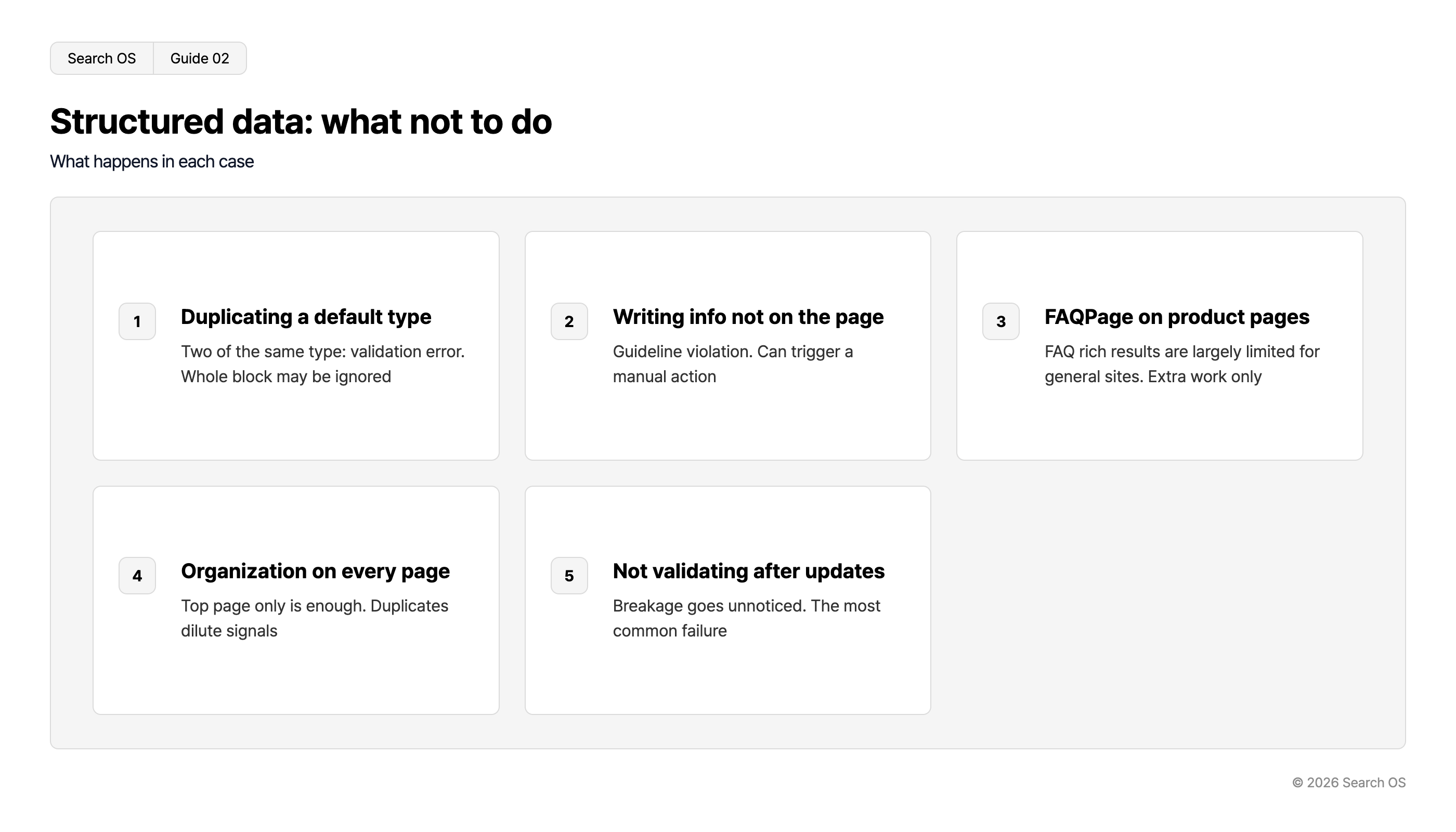
Adding the same type as the default output | Two of the same type on one page; validation error. The whole block may be ignored |
Writing information in structured data that isn't on screen (made-up ratings, unpublished prices) | Guideline violation. Can lead to a manual action |
Putting FAQPage on ordinary product pages | Google has effectively restricted FAQ rich results for general sites. Doesn't display, and adds work |
Putting Organization on every page | Top page alone is enough. Duplicates dilute performance |
Not validating after a template update | Breakage from an update goes unnoticed. The most common failure |
Navigation
- Search OS
- Guide 02
Structured data: what not to do
What happens in each case
| number | title | description |
|---|---|---|
| 1 | Duplicating a default type | Two of the same type: validation error. Whole block may be ignored |
| 2 | Writing info not on the page | Guideline violation. Can trigger a manual action |
| 3 | FAQPage on product pages | FAQ rich results are largely limited for general sites. Extra work only |
| 4 | Organization on every page | Top page only is enough. Duplicates dilute signals |
| 5 | Not validating after updates | Breakage goes unnoticed. The most common failure |
© 2026 Search OS
What template edits alone can't cover
Being able to add structured data through templates is a clear strength of Color Me Shop. After adding it, though, the work of keeping values in sync remains. Confirming whether bots actually fetch the page isn't solved by template edits either. Planting a tree and watering it every day are different jobs.
Search OS continuously validates the state of structured data, metadata, and canonical on existing shops, including those on Color Me Shop. It finds values that disagree with the screen, duplicate output, and breakage after template updates, and sorts them into fix targets. Bot logs also confirm whether search engines and AI crawlers actually fetch the page. This doesn't replace the work of writing the template. The dividing line is whether a layer keeps checking that what you wrote is still correct today.
Frequently asked questions
Does adding structured data raise rankings?
It doesn't act on rankings directly. It is material for rich result display and for AI search to classify the page accurately. It affects whether you are understood correctly, more than rank.
Does the editable scope differ by plan?
Whether and how far you can edit templates may depend on the plan. Check the admin panel. If your plan doesn't allow editing, operate within the default output.
How do I tell whether the template my agency built includes structured data?
Run the URL through the Rich Results Test. If it's there, the types are detected. If not, nothing shows up.
Related reading
Is Color Me Shop Weak at SEO: The Facts and the Limits of What You Can Fix
Color Me Shop XML Sitemaps: What Is Auto-Generated and How to Submit to Search Console
What Structured Data futureshop Outputs Automatically, and What to Add for AI Search
References
Google Search Central: Product structured data
Google Search Central: Breadcrumb structured data
Google Search Central: General structured data guidelines
Google: Rich Results Test