Conveying Hierarchy with Shopify's Fixed URL Structure
Navigation
- Search OS
- Shopify
Conveying Hierarchy with Shopify's Fixed URL Structure
- Category
- Insights
- Reading Time
- 6 min read
- Topic
- Japan EC platform guides for search and AI search
Shopify doesn't let you design URL hierarchy freely. Products sit directly under /products/ and collections under /collections/. This article covers how to convey hierarchy instead through breadcrumbs, internal links, and BreadcrumbList structured data, how to handle Japanese handles, and what not to change.
- Source
- searchos.io/en/blog
- Copyright
- © 2026 Search OS
When you migrate to Shopify, every product URL becomes /products/product-name. Stores that previously used /category/subcategory/product-name ask whether losing the hierarchy puts them at an SEO disadvantage.
The short answer is that Shopify's URL hierarchy can't be changed. Products sit directly under /products/, collections under /collections/, static pages under /pages/, and blogs under /blogs/, and no app changes this structure. URLs, however, are not the only clue search engines and AI search use to understand hierarchy. If you convey it through breadcrumbs, internal links, and structured data, there is no major difference in search performance.
This article confirms which parts of the URL Shopify won't let you change, then covers three ways to convey hierarchy without URLs, how to handle Japanese handles, and what not to do.
Conclusion: don't expect hierarchy from the URL. Convey it with breadcrumbs, internal links, and BreadcrumbList
Method | What it conveys | Implementation on Shopify |
|---|---|---|
Breadcrumbs (on screen) | Home > Collection > Product | The theme's breadcrumb section. Enable it if not shown |
BreadcrumbList (structured data) | Breadcrumbs in machine-readable form | Output by theme or app. Match the visible breadcrumbs |
Internal links | Collection to product, product to collection | Collection pages and the theme's "related collections" |
Navigation | Hierarchy of main collections | Nested menus in header and footer |
Search OS Guide 01
- Search OS
- Guide 01
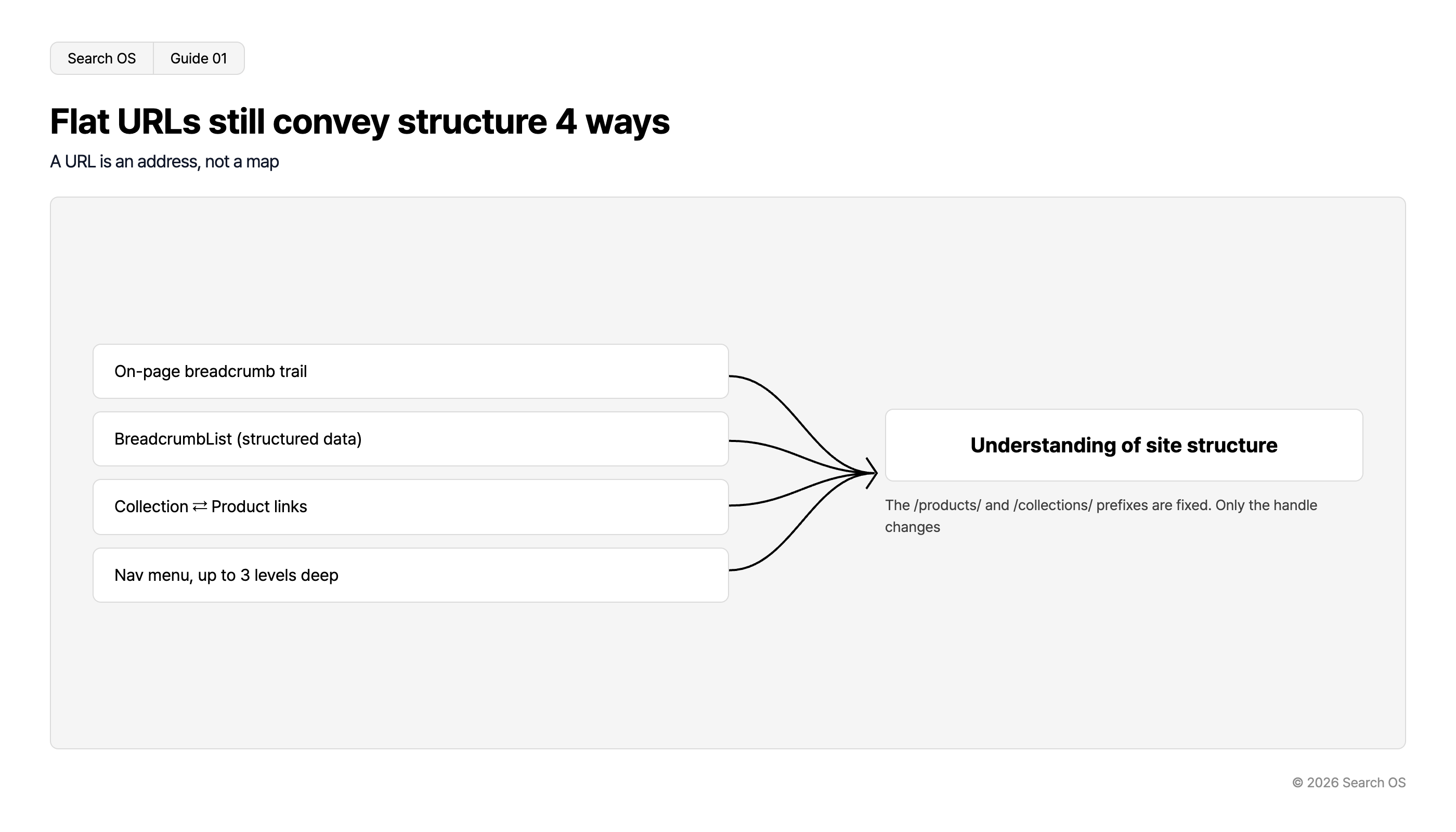
Flat URLs still convey structure 4 ways
A URL is an address, not a map
| Input Method | Outcome |
|---|---|
| On-page breadcrumb trail | Understanding of site structure |
| BreadcrumbList (structured data) | Understanding of site structure |
| Collection ⇄ Product links | Understanding of site structure |
| Nav menu, up to 3 levels deep | Understanding of site structure |
The /products/ and /collections/ prefixes are fixed. Only the handle changes
© 2026 Search OS
Key idea: A URL is an address, not a map. Knowing a store's address doesn't tell you how the aisles are laid out without a map. Breadcrumbs and links draw that map. Even on a site with hierarchy in its URLs, the hierarchy isn't conveyed without links. Start by checking whether breadcrumbs are displayed on your store.
What Shopify lets you change and what it doesn't
Item | Changeable | Notes |
|---|---|---|
Prefixes such as /products/ and /collections/ | No | Fixed |
Handle after the prefix (product name part) | Yes | Editable per product. You can opt into an automatic redirect when changing it |
URLs in the form /collections/xxx/products/yyy | No | Generated when a product is reached via a collection. Canonical points to /products/yyy |
Static pages directly under the domain (/about, etc.) | No | Becomes /pages/about |
Navigation
- Search OS
- Guide 02
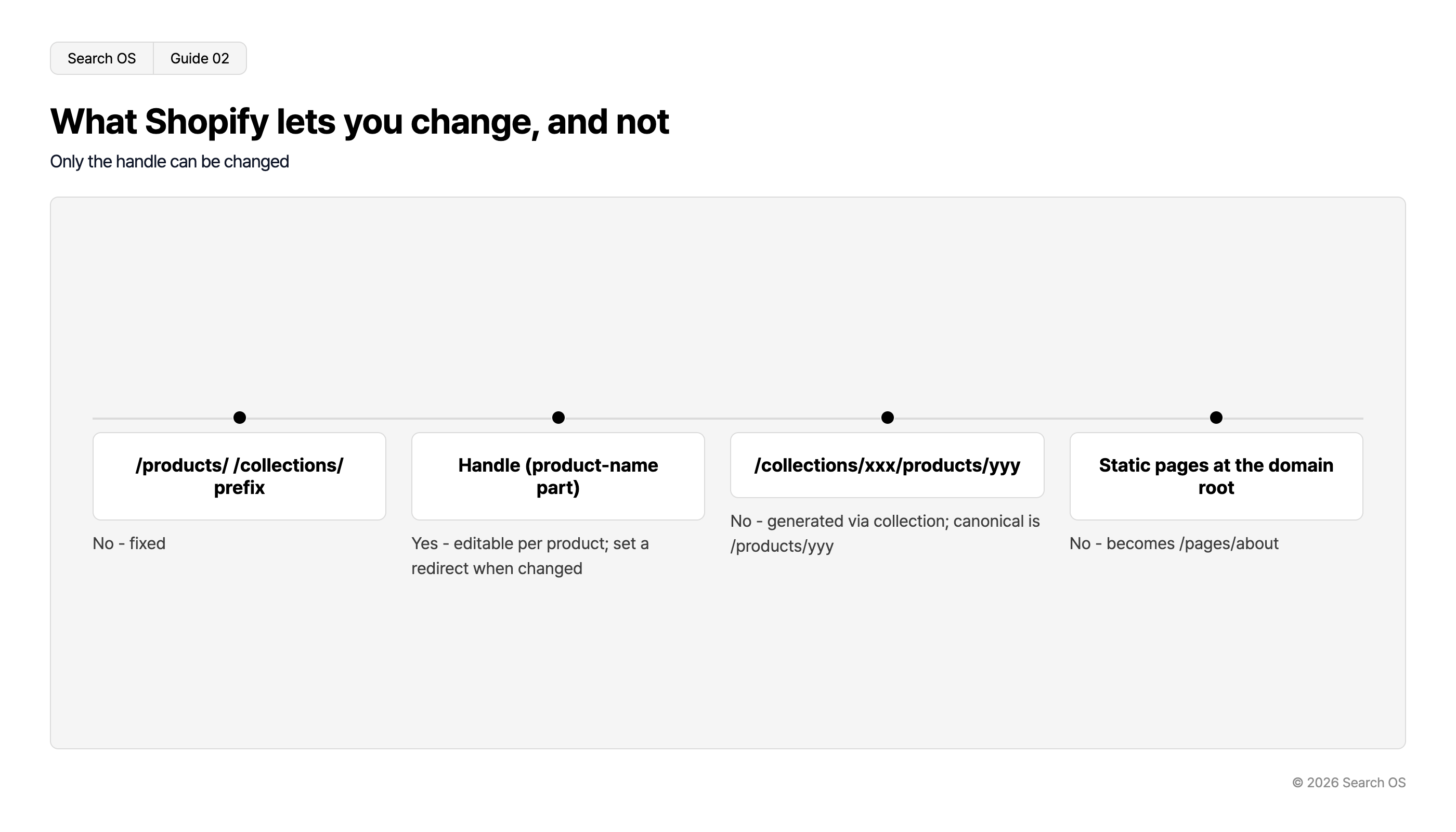
What Shopify lets you change, and not
Only the handle can be changed
| URL Component | Changeable Status |
|---|---|
| /products/ /collections/ prefix | No - fixed |
| Handle (product-name part) | Yes - editable per product; set a redirect when changed |
| /collections/xxx/products/yyy | No - generated via collection; canonical is /products/yyy |
| Static pages at the domain root | No - becomes /pages/about |
© 2026 Search OS
For collection-path URLs (/collections/xxx/products/yyy), Shopify points the canonical to /products/yyy by default. A canonical is the marker that tells search engines which URL is authoritative. These URLs are therefore not normally treated as duplicates. Do check which of the two URLs your store's internal links use.
Method 1: Breadcrumbs and BreadcrumbList
Breadcrumbs come as a pair: the on-screen display people see, and the BreadcrumbList that tells machines.
On screen: Home > Wallets > Bifold Wallets > Product name
BreadcrumbList: the same hierarchy in the same order
Products often belong to multiple collections. If a bifold wallet is in both "Wallets" and "Gifts", decide on one collection to show in the breadcrumb. Some themes show the "last visited collection", so the breadcrumb for the same product can change. Check whether your theme can pin a primary collection.
Method 2: Internal links and navigation
What the URL can't convey, links do. Think of it as adding more signs inside the store.
Link direction | Where to place it |
|---|---|
Parent collection to child collection | List of child collections at the top of the parent collection page |
Child collection to parent collection | Breadcrumbs |
Product to its collection | "More from this collection" on the product page |
Menu to main collections | Nested header menu, up to three levels |
Shopify menus can be nested. Express parent-child relationships between collections through menu levels.
Method 3: Handle design
The handle after the prefix is freely editable.
Use meaningful alphanumeric handles. Avoid handles that are only a product ID or model number
Japanese handles are left to Shopify's auto-generation rules. They can come out in unintended forms, so setting them yourself in alphanumerics is more stable
As a rule, don't change a handle once published. If you must, always set up a redirect
You can also include the parent's name in a collection handle (using the parent as a prefix, as in /collections/wallet-bifold). This is useful when you want a pseudo-hierarchy in the URL. While you're at it, review whether your main products' handles are meaningful alphanumerics
What not to do
Action | What happens |
|---|---|
Rewriting URLs with an app (reverse proxy, etc.) | Conflicts with Shopify's canonical and gets judged as duplicate |
Chaining redirects to recreate the pre-migration URL hierarchy | Signals decay through the redirect chain |
Putting every product in one collection and giving up on hierarchy | Hierarchy isn't conveyed, and collection pages become thin |
Changing handles frequently | Redirects pile up and signals scatter |
What happens after you set up hierarchy signals
With breadcrumbs, internal links, and BreadcrumbList in place, structure is conveyed even without hierarchy in the URL. That state doesn't last on its own, though. A theme update can change the breadcrumb output, and adding an app can produce a duplicate BreadcrumbList. Change a product's collection and the breadcrumbs and structured data fall out of sync. These things happen routinely.
Search OS continuously verifies the consistency of breadcrumbs, structured data, canonical, and internal links on existing stores, including Shopify. It organizes drift, double output, and mismatches between the URLs bots fetch and the canonical as fix targets. It doesn't change the URL structure itself. It is the layer that keeps watching whether the hierarchy you convey outside the URL is still correct today.
Frequently asked questions
What should I do with the old /category/product-name URLs from before migration?
Redirect all of them to the corresponding /products/handle. Shopify's "URL redirects" feature lets you register them in bulk.
Will rankings drop without hierarchy in the URL?
URL hierarchy itself is a minor ranking factor. The bigger problem is hierarchy not being conveyed at all because breadcrumbs and links are missing.
Should I noindex the /collections/xxx/products/yyy URLs?
No. Shopify points the canonical to /products/yyy by default, so noindex isn't needed. Just check that the canonical is output correctly.
Related reading
Duplicate URLs from Shopify Collections and Tags and Crawl Efficiency
Carrying Over URLs and Structured Data When Migrating from a Japanese ASP Cart to Shopify
Duplicate URLs from futureshop's Multiple Group Registration and Canonical Design
References
Google Search Central: URL structure best practices
Google Search Central: Breadcrumb structured data
Google Search Central: Consolidate duplicate URLs
Shopify Help Center: Redirecting URLs