BASE: Keeping Search Performance Through a Custom Domain Switch
BASE: Keeping Search Performance Through a Custom Domain Switch
- Category
- Guides
- Read Time
- 6 min read
- Topic
- Japan EC platform guides for search and AI search
When you move a BASE shop from the shared domain to a custom domain, every URL changes. Unless the old URLs redirect to the new ones and the new URLs are declared canonical, your existing search performance does not carry over. This article walks through the preparation before the switch, the checks on the day, and what to watch in the two weeks after.
- Source
- searchos.io/en/blog
- Copyright
- © 2026 Search OS
Right after a BASE shop switches to a custom domain, the page that ranked first for the shop name sometimes disappears from search results. Shop owners raise this often.
Once the domain changes, search engines see a brand-new site. Carrying the old URLs' performance over to the new URLs takes two things: the old URLs must redirect correctly to the new ones, and the new URLs must be declared as the canonical URLs. If either is missing, the performance stays with the old URLs and the new URLs start from zero.
This article covers the preparation before the switch, the checks on switch day, and what to watch in the two weeks after.
Conclusion: Redirects, canonicalization, and Search Console together carry the performance over
Stage | Task | How to check |
|---|---|---|
Before the switch | Record the old URLs' index status and top pages by clicks | Search Console performance report |
Before the switch | Create a Search Console property for the new domain | Search Console |
Switch day | Confirm old URLs redirect to the new URLs | Open an old URL in a browser |
Switch day | Confirm the canonical on new URLs points to the new domain | Page source |
Switch day | Submit the new domain's sitemap | Search Console |
Two weeks | Watch the new domain's index count rise and the old domain's fall | Page reports in both properties |
Tags
- Search OS
- Guide 01
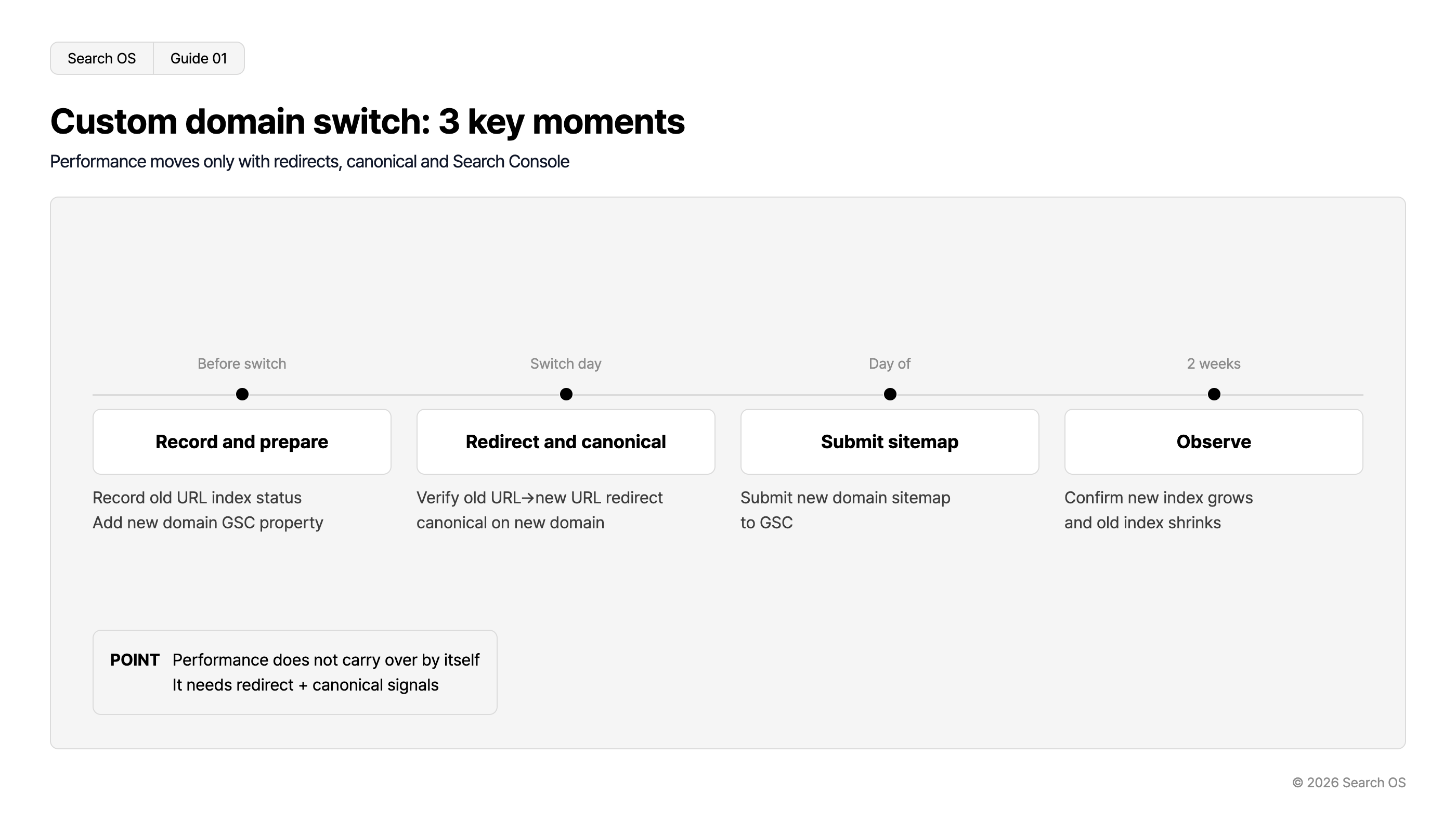
Custom domain switch: 3 key moments
Performance moves only with redirects, canonical and Search Console
| Timeline | Action | Details |
|---|---|---|
| Before switch | Record and prepare | Record old URL index status Add new domain GSC property |
| Switch day | Redirect and canonical | Verify old URL→new URL redirect canonical on new domain |
| Day of | Submit sitemap | Submit new domain sitemap to GSC |
| 2 weeks | Observe | Confirm new index grows and old index shrinks |
- POINT
- Performance does not carry over by itself. It needs redirect + canonical signals
© 2026 Search OS
How BASE's custom domain settings handle the old URLs is something to check on the real URLs after you set it up. Either the old URL redirects to the new one, or both URLs open. Move on to the next task without checking this, and every judgment after it becomes guesswork.
Key idea: Performance does not carry over automatically. Search engines move it only after they see the signal that the old and new URLs are the same page, which means redirects and canonicalization.
What to do before the switch
Record the current state
In Search Console, record the top 20 pages by clicks over the past three months and the number of indexed URLs. Comparing against these figures after the switch tells you whether the handover worked.
Create a property for the new domain
Register the new domain in Search Console before you switch. With the property in place, you can check the new domain's index status from the moment the switch happens.
Fix thin-text pages first
A domain switch is also the moment search engines re-examine the whole site. If image-only product pages are still there, that is the state that gets assessed. Add text before the switch and the re-examination comes out better.
What to check on switch day
Open an old URL (under thebase.in) in a browser. Check whether it redirects to the new URL or still opens as the old URL
Look at the canonical in the new URL's source and confirm it points to the new domain
Confirm the new domain's sitemap URL and submit it to Search Console
Run the new domain's top page and main product pages through URL Inspection and request indexing
If step 1 still opens the old URL, be careful. Both the old and new URLs get indexed and the performance splits. The canonical is the marker that tells search engines which URL is the real one. In that situation, a canonical pointing to the new domain is the only clue for the handover, so step 2 matters even more.
Watching the two weeks after the switch
What to watch | Expected movement | Warning sign |
|---|---|---|
Indexed URLs on the new domain | Rises day by day | No increase after a week |
Indexed URLs on the old domain | Falls gradually | No decrease (redirects not working) |
URL shown for shop-name searches | Switches to the new domain | Still the old domain |
Total clicks | Dips temporarily, recovers in 2 to 4 weeks | No recovery after 4 weeks |
Search OS Guide 02
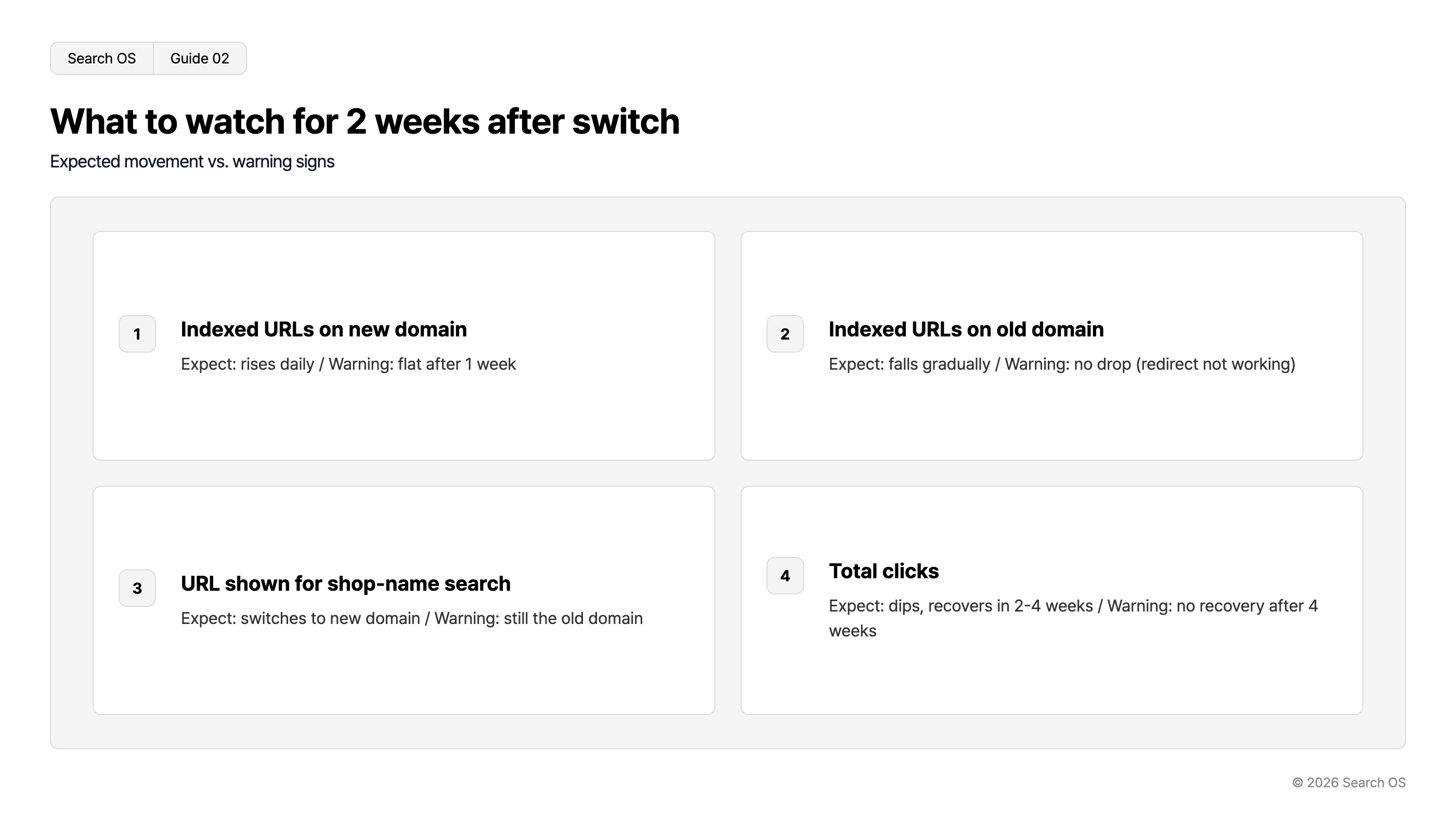
What to watch for 2 weeks after switch
Expected movement vs. warning signs
| number | metric | expectation | warning |
|---|---|---|---|
| 1 | Indexed URLs on new domain | rises daily | flat after 1 week |
| 2 | Indexed URLs on old domain | falls gradually | no drop (redirect not working) |
| 3 | URL shown for shop-name search | switches to new domain | still the old domain |
| 4 | Total clicks | dips, recovers in 2-4 weeks | no recovery after 4 weeks |
© 2026 Search OS
A temporary dip in clicks is normal. With redirects and canonicalization in place, clicks usually return within 2 to 4 weeks. If they don't, one of the redirects, the canonical, or the sitemap is wrong. Check the items in the table above regularly during this period.
Handover in AI search
Google AI Mode and ChatGPT search pick up newly indexed URLs fairly quickly. Past citations, however, stay tied to the old URLs, and the wait until the new URLs get cited can be longer than the recovery in Google search. This part you can only wait out. Still, if the new product pages have text and structure in place, they get picked up faster.
The operations that start after the switch
A domain switch happens once. What continues afterward is watching the index status, maintaining text, and confirming that bots are fetching pages.
Search OS supports the operation of existing shops, BASE included. It provides structure, metadata, structured data, and sitemaps in a separate layer, and bot logs show how the new domain is being fetched. Index delays and canonical mismatches are organized as items to fix. Who checks the post-switch state, and when, is also decided as part of operations.
Frequently asked questions
Is it safer to stay off a custom domain?
Over the long run, a custom domain is the better choice. It consolidates brand-name search results on a single URL, and the URLs stay usable if you change platforms later. Follow the switch procedure and the performance carries over.
Which day of the week is best for the switch?
Do it during a low-traffic period. It's safer to schedule it so you can check Search Console every day for the following 2 to 3 days.
How long should the old URLs stay up?
It depends on BASE's specifications, but keep the redirects from the old URLs for as long as you can. Links to the old URLs still exist on external sites and social media.
Related reading
Why a BASE Shop Doesn't Show Up in Web Search and How to Fix It
BASE Product Pages Are Image-Only: The Minimum Steps to Add Text
Sitemap Operations for Large Sites: lastmod, Splitting, and Submission
References
Google Search Central: Site moves with URL changes
Google Search Central: Change of Address tool
Google Search Central: Consolidate duplicate URLs