BASE SEO Settings App: What It Can and Can't Do
Navigation
- Search OS
- BASE
BASE SEO Settings App
What It Can and Can't Do
| Category | Read Time | Topic | Source |
|---|---|---|---|
| Insights | 6 min read | Japan EC platform guides for search and AI search | Search OS |
The BASE SEO Settings App is a tool for setting page titles and descriptions. Installing it alone doesn't get you into search or AI search. This article separates what the App does, what it doesn't, and what shop owners handle outside the App.
- URL
- searchos.io/en/blog
- Copyright
- © 2026 Search OS
Shop owners who install the SEO Settings App on BASE and finish writing titles and descriptions often ask how much of the SEO work is now complete.
The answer is that the App's part is done, but SEO has only just started. The SEO Settings App lets you write the title and description that appear in search results, and that part is essential. But among the conditions for search engines and AI to find, read, and cite your shop, the App covers only some.
This article goes through what the SEO Settings App can do, what it can't, and what shop owners handle outside it.
Conclusion: The App decides the wording that's displayed. The structure that gets read is separate work
Area | SEO Settings App's role | What's actually needed |
|---|---|---|
Title and description | Yes: configurable | Unique wording for each product |
Visibility to search engines | No | Check the shop's public settings |
Product description text | No | Add text to image-only product pages |
Structured data | No | Check what BASE outputs automatically |
Sitemap and Search Console | No | Register yourself and watch index status |
Whether bots are fetching pages | No | Only visible in logs |
Navigation
- Search OS
- Guide 01
SEO App scope and the work left to you
The App sets displayed text; readable structure is separate work
SEO work on a BASE shop
SEO App handles
- Title, description per product
Merchant tasks (with or without App)
- Search engine visibility setting
- Text on image-only product pages
- Check structured data coverage
- Sitemap and Search Console
- Are bots fetching pages (logs)
© 2026 Search OS
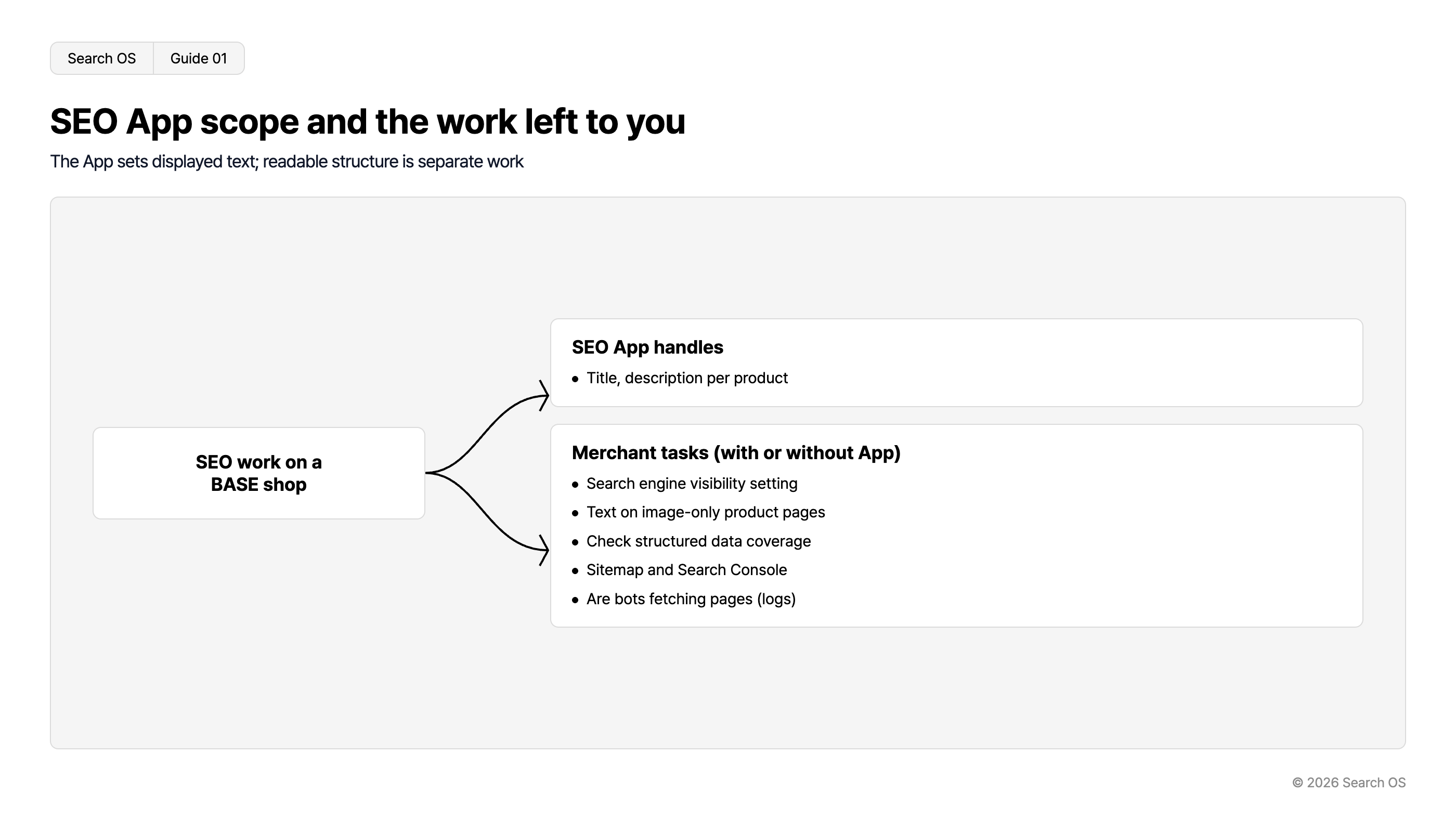
The App's job is the first row of the table only. The remaining five rows are the shop owner's to check, whether or not the App is installed.
Key idea: Titles and descriptions take effect after a page is displayed in search results. Before that comes the stage where a crawler fetches the page, understands the content, and indexes it. The App plays no part in that stage.
What the SEO Settings App can do
What the SEO Settings App sets is the title and description for each page. Check the admin panel to see whether the unit is the shop, product, or category. This affects click-through rate in search results. At the same ranking, a title that includes use, features, and brand name conveys more than one with the product name alone.
Leaving the App's defaults in place, however, achieves nothing. So does putting the same description on every product. The premise is that each product gets wording written for that product alone.
What the SEO Settings App can't do
1. Being visible to search engines in the first place
BASE has a setting that controls whether the shop is shown to search engines. If it's off, nothing you write in the App reaches search. Some shops turned it off while preparing to open and then forgot about it.
2. Product page text
BASE templates are designed to show product images large. As a result, descriptions end up short, or the text goes only inside images. Search engines and AI can't read text in images reliably. However good the App's title is, if the body doesn't say what you sell, there's nothing to assess.
3. Structured data and canonical
Structured data is markup that tells machines a product's price, stock, and brand. It's outside the App's scope. To see how much BASE outputs automatically, run a product page URL through the Rich Results Test. Where it falls short, the means a shop owner has to fill the gap are limited.
4. Sitemaps and Search Console
Submitting the sitemap, checking index status, and tracking errors are done by the shop owner in Search Console. A sitemap is the list of page URLs handed to search engines. The App plays no part here.
5. Whether bots are fetching pages
Whether Googlebot, GPTBot, and PerplexityBot are actually fetching your pages isn't visible in the App or the admin panel. Logs are the only place to confirm it.
What to do outside the App this week
Order | Task | How to check |
|---|---|---|
1 | Check the search engine visibility setting | Admin panel |
2 | Register in Search Console and submit the sitemap | Search Console |
3 | Write 3 to 5 sentences of text for the top 10 products | Product pages |
4 | Set a unique title and description per product in the App | SEO Settings App |
5 | Confirm via URL Inspection that Google's fetched HTML contains the product information | Search Console |
- Search OS
- Guide 02
What to do outside the App this week
Five steps, in order
| Step | Location/Detail |
|---|---|
| Check publish settings | Admin panel |
| Register and submit to GSC | Search Console |
| Descriptions for top 10 items | 3-5 sentences of text |
| Unique title and description | SEO settings App |
| Check the fetched HTML | Product info via URL Inspection |
© 2026 Search OS
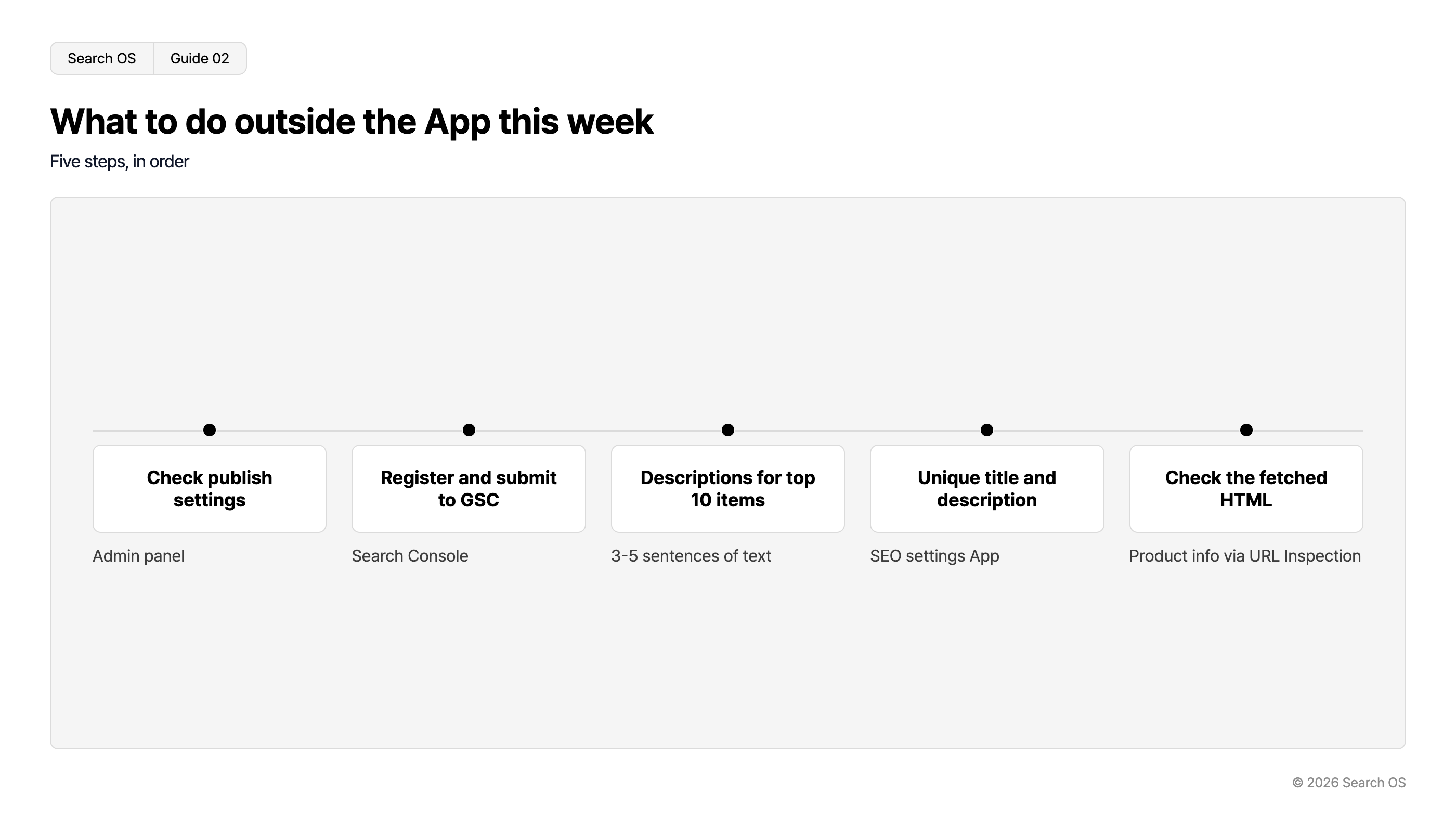
The order matters. Skipping 1 and 2 to do only 4 is like polishing the sign before the shop is open. No results come, and all that's left is the impression that "the SEO App changed nothing".
Operations fill the App's gaps
The SEO Settings App is the best tool within what BASE provides. Its limits aren't the App's fault. Japanese hosted carts in general share the same condition: the layer bots read is hard to see.
Search OS works on top of your current platform, BASE included, without changing it. On top of it, Search OS provides a separate layer that search engines and AI crawlers can read easily. That layer includes structure, metadata, structured data, and sitemaps. Fixes continue while bot logs show what's being fetched. It stacks the structure that gets read outside the displayed wording the App handles.
Frequently asked questions
Can I skip the SEO Settings App?
No, install it. Being able to write a title and description per product is necessary. It just isn't where SEO ends.
I installed the App, so why am I still not in search?
The App takes effect after a page appears in search results. First check three things: the visibility setting, the sitemap, and the product text.
Does the App help with AI search (ChatGPT and others)?
AI reads titles and descriptions too. But what AI cites is the body content. If there's no text in the body, the App's settings alone won't get you cited. Open a product page and check whether there's a description under the photos.
Related reading
Why a BASE Shop Doesn't Show Up in Web Search and How to Fix It
BASE Product Pages Are Image-Only: The Minimum Steps to Add Text
References
Google Search Central: Control your title links in search results
Google Search Central: Control your snippets in search results
Google Search Central: URL Inspection Tool