SEO Assets Lost in an EC-CUBE 2 to 4 Migration
Navigation
- Search OS
- EC-CUBE
SEO Assets Lost in an EC-CUBE 2 to 4 Migration
- Category
- Guides
- Reading Time
- 6 min read
- Topic
- Japan EC platform guides for search and AI search
Migrating from EC-CUBE 2 to 4 is not a simple version upgrade. It is a site move in which URL structure, templates, and plugins all change. This article covers the four assets most easily lost in migration (URLs, metadata, structured data, and sitemap), the steps to carry each one over, and the metrics to check afterward.
- Source
- searchos.io/en/blog
- Copyright
- © 2026 Search OS
Stores that ran on EC-CUBE 2 for 10 years report that after migrating to EC-CUBE 4, search rankings dropped across the board.
A migration from the 2 series to the 4 series is a site move, not a version upgrade. The URL structure changes, and templates are rebuilt from scratch. Plugins and customizations from the 2 series don't run on the 4 series. Because 10 years of search performance has accumulated on the old URLs, it is lost unless you carry it over to the new ones.
This article covers the four assets most easily lost in migration (URLs, metadata, structured data, and sitemap), the steps to carry each one over, and the metrics to check afterward. A sitemap is the list of page URLs you hand to search engines.
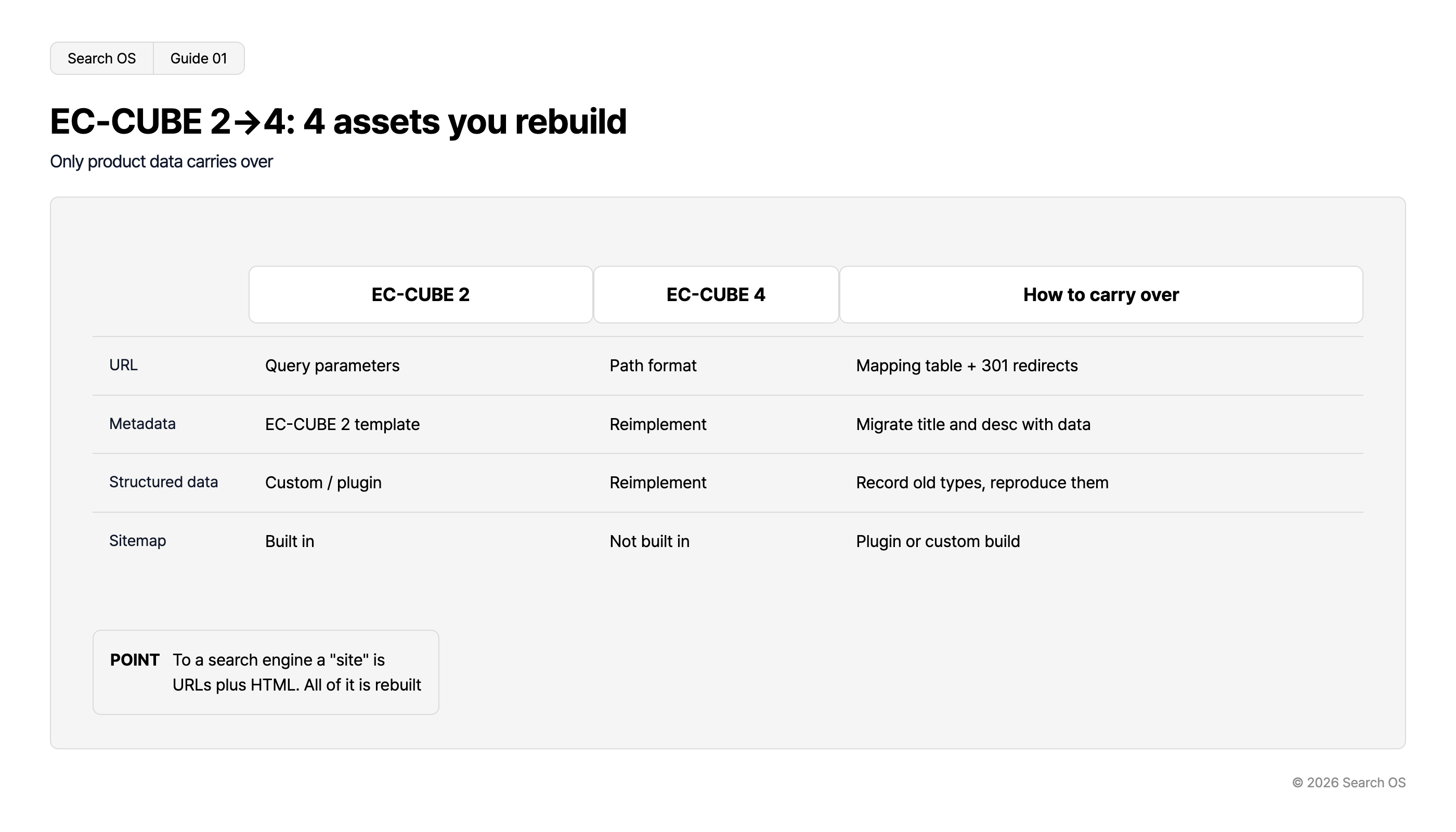
Conclusion: Treat the migration as a site move, and build a carry-over table for the four assets before switching
Asset | 2 series | 4 series | How to carry over |
|---|---|---|---|
URLs | Parameter format (product_id= and the like) | Path format | Old-to-new URL mapping table and 301 redirects |
Metadata | 2 series product data and templates | 4 series product data and templates | Include title and description in the data migration. Reimplement the output in templates |
Structured data | Customization or plugin | Reimplementation required | Record the types output on the 2 series and reproduce them in 4 series templates or plugins |
Sitemap | Built-in feature | No built-in feature | Provide via plugin or your own implementation |
Navigation
- Search OS
- Guide 01
EC-CUBE 2→4: 4 assets you rebuild
Only product data carries over
| Asset | EC-CUBE 2 | EC-CUBE 4 | How to carry over |
|---|---|---|---|
| URL | Query parameters | Path format | Mapping table + 301 redirects |
| Metadata | EC-CUBE 2 template | Reimplement | Migrate title and desc with data |
| Structured data | Custom / plugin | Reimplement | Record old types, reproduce them |
| Sitemap | Built in | Not built in | Plugin or custom build |
- POINT
- To a search engine a "site" is URLs plus HTML. All of it is rebuilt
© 2026 Search OS
Key idea: The only thing carried over because it's still EC-CUBE is the product data. To a search engine, the site is a collection of URLs and HTML, and all of that is rebuilt. Hold off on switching until the carry-over table is done.
Asset 1: URLs
Product and category URL formats differ between the 2 series and the 4 series. Confirm the actual format on your own site. If you had mod_rewrite on the 2 series, it differs further.
Carry-over steps:
List every URL on the 2 series (products, categories, feature pages, news)
Identify URLs with search traffic and backlinks in Search Console, and prioritize them
Build a one-to-one mapping table against the new 4 series URLs
Set up 301 redirects on the 4 series side (web server configuration, or a redirect management mechanism)
After switching, open samples from the mapping table to confirm
Redirecting old parameter-format URLs requires rewrite rules in the web server configuration that use the parameter as a condition. If an agency handles it, hand over the mapping table and ask them to configure it.
Asset 2: Metadata
Item | How it gets lost | Carry-over |
|---|---|---|
Product title and description | Disappears if not included in the data migration | Include in the migration data fields. Confirm the corresponding fields on the 4 series side |
Category title and description | Same as above | Same as above |
Meta on feature pages and news | Recreated as user-defined pages on the 4 series | Reset by hand |
Template title generation rules | 2 series templates can't be used on the 4 series | Reimplement the same rules in 4 series templates |
Before migrating, capture the title and description of your main 2 series pages with a crawler tool. Keep the capture so you can compare the same pages after migration.
Asset 3: Structured data
If the 2 series was outputting structured data, it came from a customization or a plugin. Neither runs on the 4 series. Plan on rebuilding it at the destination.
Before migrating, run 2 series product, category, and top pages through the Rich Results Test and record the detected types
Output the same types from 4 series templates or plugins
After migrating, re-validate the same pages and confirm the types and values match
If the 2 series wasn't outputting structured data, the migration is a chance to add it. Output Product, BreadcrumbList, and Organization fresh on the 4 series.
Asset 4: Sitemap
The 2 series had a built-in sitemap feature. The 4 series doesn't. Sites with no sitemap after migration are not rare. Provide one via plugin or your own implementation, and resubmit it in Search Console. If the old sitemap URL changes, delete the old one in Search Console and submit the new one.
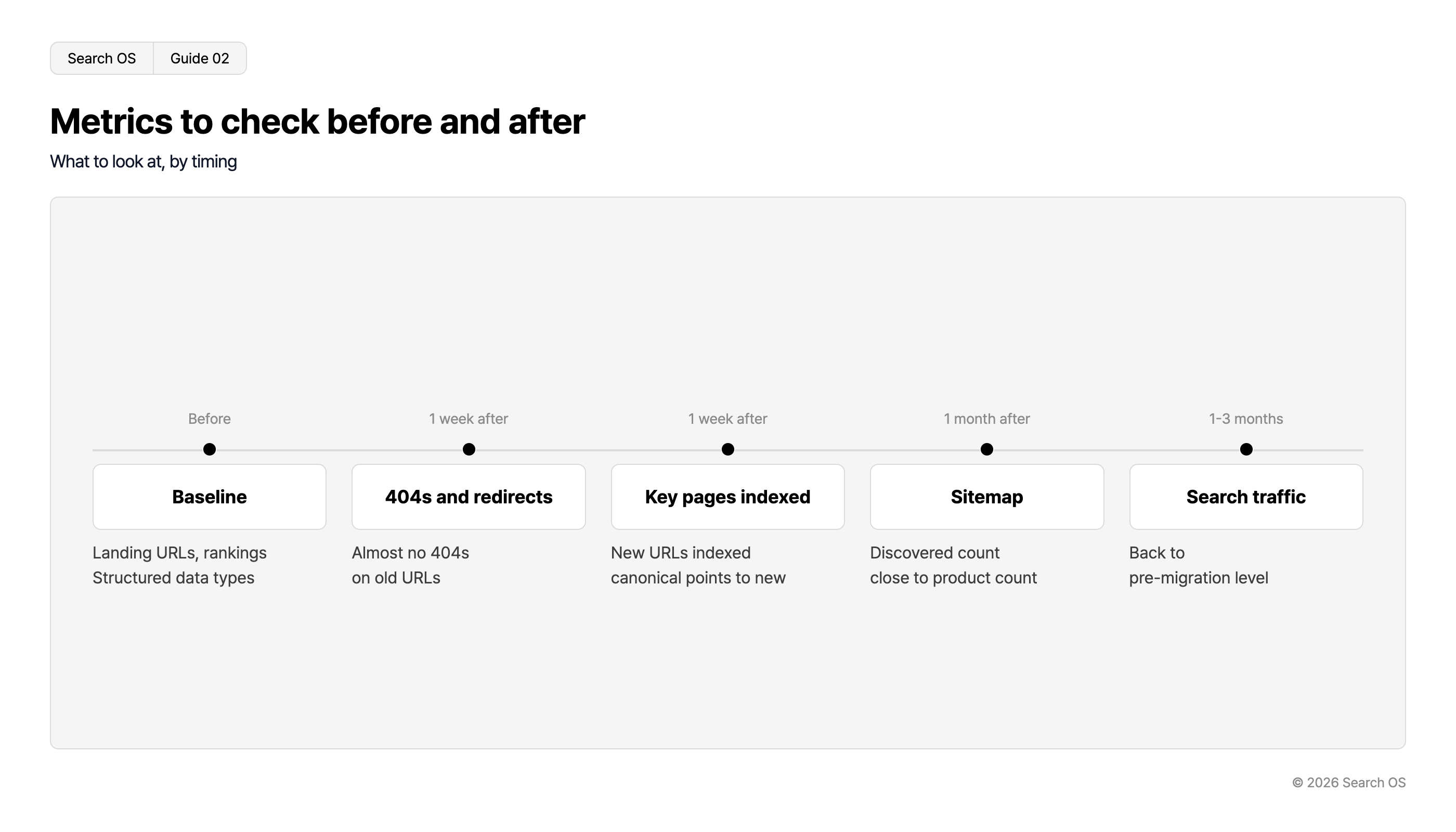
Metrics to watch before and after migration
Timing | Metric | Healthy state |
|---|---|---|
Before migration | Number of URLs with search traffic, rankings of main pages, structured data types | Record them |
One week after | 404s, redirect errors | Almost no 404s on old URLs |
One week after | URL inspection of main pages | New URLs indexed, canonical points to new URLs |
One month after | Sitemap discovered count | Close to the product count |
One to three months after | Search traffic | Back to pre-migration levels |
Navigation
- Search OS
- Guide 02
Metrics to check before and after
What to look at, by timing
| Timing | Metric Category | Details |
|---|---|---|
| Before | Baseline | Landing URLs, rankings Structured data types |
| 1 week after | 404s and redirects | Almost no 404s on old URLs |
| 1 week after | Key pages indexed | New URLs indexed canonical points to new |
| 1 month after | Sitemap | Discovered count close to product count |
| 1-3 months | Search traffic | Back to pre-migration level |
© 2026 Search OS
Holes keep appearing after the migration is done
Even after the migration is complete, missed redirects, drift in reimplemented structured data, and stalled sitemap generation surface later. The 4 series in particular keeps receiving plugin and core updates. The state you set up at migration changes within months.
Search OS continuously checks the state of 404s, redirects, canonical, structured data, and sitemap on migrated sites, including those on EC-CUBE. It sorts the mapping between old and new URLs that bots are fetching, and the metadata lost in migration, into fix targets. It doesn't replace the migration work itself. It is the layer that keeps finding the holes overlooked after migration.
Frequently asked questions
Can I keep using 2 series URLs on the 4 series?
Keeping the old URL format through web server rewrites is technically possible. It departs from the 4 series standard, though, and makes maintenance harder. The usual approach is to move to new URLs and carry performance over with redirects.
Can I change the domain at the same time as the migration?
Changing both at once makes it hard to isolate the cause of any problem. Do the version migration first, and change the domain once things are stable.
Is staying on the 2 series an option?
Official support for the 2 series has ended. From a security standpoint, continuing as is can't be recommended. The migration is necessary. The question is how to do it.
Related reading
EC-CUBE 4 Has No Built-In XML Sitemap: Plugin, Custom Build, or External Generation
A Requirements Template for Communicating SEO and AI Search Needs to Your EC-CUBE Agency
Carrying Over URLs and Structured Data When Migrating from a Japanese Hosted Cart to Shopify
References
Google Search Central: Site moves with URL changes
Google Search Central: Redirects and Google Search
EC-CUBE: EC-CUBE 4 developer documentation